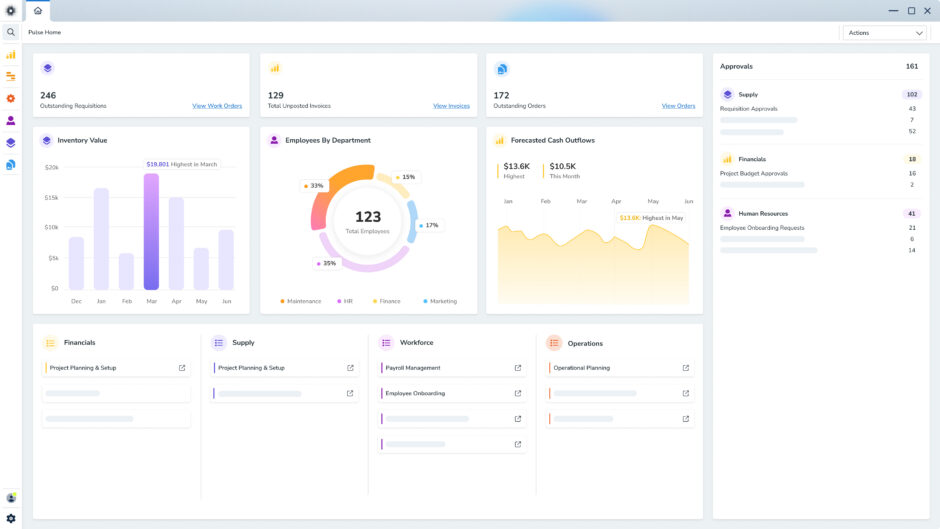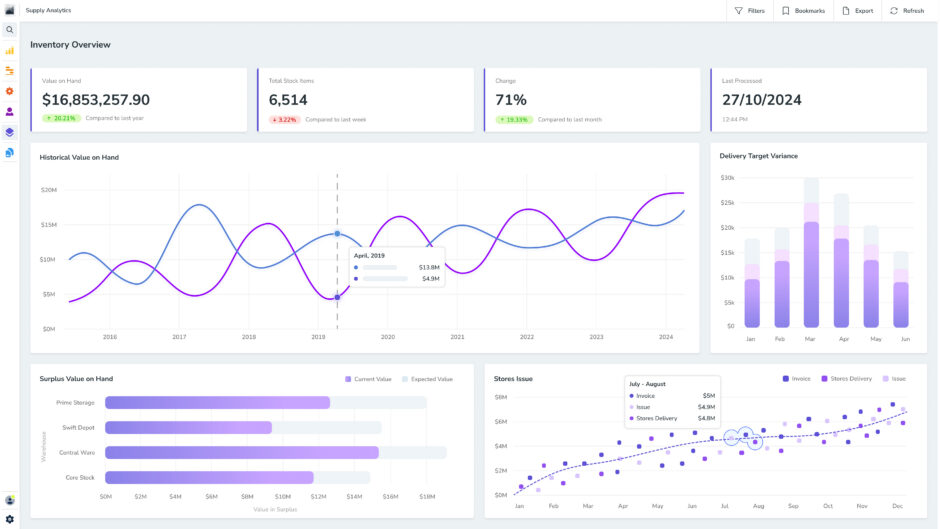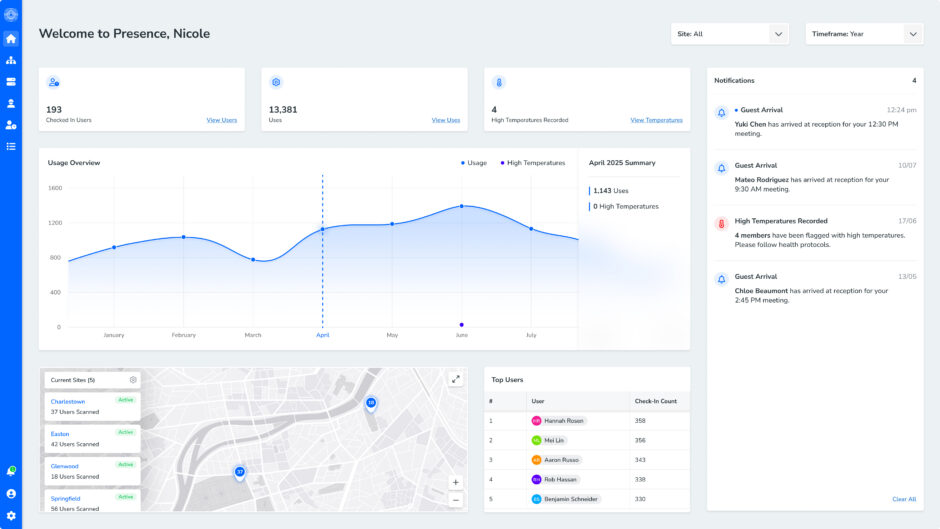
In today’s data-driven world, crunching the numbers behind growth is more critical than ever. But let’s face it—sifting through massive datasets can feel overwhelming. That’s where data visualisation steps in, translating unstructured information into clear, compelling visuals.
Data visualisation uses graphics like charts, plots, infographics, and even animations to make complex data more digestible and actionable. Whether it’s through interactive dashboards or detailed visual reports, these tools bridge the gap between raw figures and meaningful insights.
In this guide, we’ll explore what data visualisation is, showcase examples, dive into its pros and cons, and introduce tools to help you leverage its full potential.
What is data visualisation?
Data visualisation transforms data points into graphical formats like charts, graphs, and maps, turning numbers into stories that are easy to grasp.
By using visual elements, it helps uncover trends, patterns, and outliers hidden in large datasets, making complex information more accessible and understandable.
This method is essential for analysing vast amounts of data and supports informed, data-driven decisions. It’s particularly helpful for gaining an overview of a dataset rather than diving into every specific detail.
Data visualisation also bridges the gap between technical data and non-technical audiences. Whether for employees, stakeholders, or business owners, it simplifies complicated figures into clear and engaging formats.
Broadly speaking, data visualisation serves four main purposes:
Sparking ideas
Teams often rely on data visualisation to drive creative thinking and innovation. During the early stages of a project, like brainstorming sessions, visualising data helps to gather diverse perspectives and spotlight shared challenges.
Although these visualisations are often rough and unrefined, they provide a solid framework to ensure the team understands the problem they’re addressing and aligns their efforts with the needs of key stakeholders.
Illustrating ideas
Data visualisation is a powerful tool for clearly illustrating concepts, strategies, or processes. That’s why it’s widely used in educational environments like tutorials, certification courses, and centres of excellence to simplify complex topics.
Beyond learning, it serves as a practical means to depict organisational structures or workflows, streamlining communication and ensuring the right people are aligned for specific tasks. Tools like Gantt charts and waterfall charts are favourites among project managers for mapping workflows.
Similarly, data modelling leverages abstraction to visualise data flow within an organisation’s information system. This makes it easier for developers, business analysts, and data architects to comprehend database relationships and the structure of data warehouses, fostering collaboration and understanding across teams.
Spotting trends
Data visualisation makes it simple for teams to uncover and understand trends within their data. Visual discovery is a key tool for data analysts, data scientists, and other experts, helping them identify patterns and insights hidden in complex datasets.
Once these discoveries are made, everyday visualisations step in to tell the story, creating clear, engaging narratives that are easy for everyone to understand.
Monitoring performance
Data visualisation plays a vital role in making complex data digestible and actionable for decision-makers.
Reporting teams often use standardised dashboards or templates to keep tabs on performance metrics, ensuring a clear and consistent overview.
But visualisation goes far beyond traditional dashboards.
For instance, an analyst diving into text mining might use a word cloud to highlight important themes, trends, or hidden connections within messy, unstructured data.
In other cases, a graph could map relationships between entities in a knowledge graph, offering a clearer understanding of the data’s structure.
The beauty of data visualisation lies in its flexibility—there’s a method for every type of data. It’s a skill set that shouldn’t be confined to analytics teams; empowering more people across the organisation with these tools can drive smarter decisions and better outcomes.
Data visualisation examples
Data visualisation can take many forms, depending on the story you’re trying to tell and the level of engagement you want from your audience. These visualisations can be:
- Static: These include traditional graphs and charts that provide a snapshot of data. Static visuals are straightforward and great for quickly presenting a clear message.
- Dynamic: By incorporating animations, dynamic visuals bring data to life. They highlight key points, show movement, and make it easier to track trends or changes over time.
- Interactive: These enable users to engage with the data by filtering variables, exploring specific areas, or manipulating the display. Users become active data explorers, uncovering deeper insights and creating custom views.
Then there’s the format itself. Here are the most common data visualisation examples available:
Basic comparison tools
- Bar charts: Present numerical comparisons with data displayed along two axes. The bar length reflects the value of each variable.
- Pie charts and stacked bar charts: Great for showing parts of a whole, providing simple visual comparisons.
- Tables: Organised rows and columns for detailed comparisons. Ideal for structured information but may overwhelm users seeking high-level insights.
Trend and time analysis
- Line and area charts: Perfect for tracking changes over time, often used in predictive analytics. Area charts stack variables and use colour to differentiate them.
- Gantt charts: Widely used in project management, these illustrate task timelines and dependencies in a bar chart format.
Data distribution & relationships
- Histograms: Display data distribution with adjoining bars, making it easy to spot outliers.
- Box-and-whisker plots: Show data distribution across a range, highlighting medians, quartiles, and outliers.
- Scatter plots: Show relationships between two variables, often used in regression analysis. Bubble charts extend this by adding a third variable through bubble size.
Hierarchical and Spatial Data
- Treemaps: Visualise hierarchical data through nested rectangles, which are excellent for comparing proportions across categories.
- Heat maps: Represent behavioural or spatial data using colour intensity, ideal for mapping patterns on locations or webpages.
Tracking & reporting
- Bullet graphs: Use bars and markers to compare performance against goals, ideal for progress tracking.
- Infographics: Blend visuals and text to tell a story. They often combine charts, diagrams, and written explanations to make data more engaging.
With so many options, choosing the right type of visualisation depends on your goals, audience, and the nature of your data.
Why is data visualisation important?
Data visualisation turns complex datasets into clear, actionable insights. Without it, businesses risk miscommunication, missed opportunities, and slower decision-making.
Visualising data simplifies analysis, making patterns, trends, and relationships more obvious. It creates a shared understanding across teams, allowing everyone—regardless of expertise—to engage with the data effectively. This clarity enhances decision-making, helping organisations identify opportunities and act quickly.
From finance and marketing to government and education, every industry benefits from visualising data. Neglecting it means falling behind in a world where understanding data is key to success.
Let’s dive deeper into its strengths below.
Benefits of data visualisation
Data visualisation brings several key advantages for the organisations that harness it:
Clear displays
If you’ve ever felt overwhelmed by a wall of numbers in a spreadsheet, you’ll know how much easier it is to make sense of data when it’s visualised.
After all, humans are naturally drawn to imagery—colours, shapes, and patterns grab our attention and help us process information faster.
Data visualisation taps into this instinct, turning data points into visual formats that make trends, outliers, and relationships easy to spot.
Easy information sharing
Visualisations simplify the most daunting of data, making it easier to communicate insights to teams, stakeholders, and decision-makers. Whether in a presentation or a report, visuals help everyone understand the key takeaways.
Interactive insights
Data visualisation isn’t just a tool; it’s a game-changer for turning data into actionable insights.
Dynamic visualisation tools allow users to dive into the data, filter results, and explore different perspectives. This interactivity makes it easier to uncover opportunities and test scenarios.
Stronger decision making
Visualisation highlights connections, trends, and anomalies that might be buried in spreadsheets. Making these patterns visible enables deeper understanding and better decision-making.
Potential drawbacks of data visualisation
At first glance, presenting data visually might seem like a flawless solution. However, while data visualisation offers many benefits, there are also potential pitfalls to be aware of.
Here are some of the key drawbacks to consider:
Bias and inaccuracy
Visualisations can unintentionally (or intentionally) skew data, leading to biased interpretations. For example, misrepresentation or misinterpretation is possible if the wrong visualisation style is used or if the design isn’t executed thoughtfully.
In other words, poor design choices or selective data inclusion can mislead the audience and undermine your insights’ credibility.
Confusion around correlation vs. causation
Visualisations often highlight patterns or relationships, but not all correlations indicate causation. Without careful analysis, your audience might draw incorrect conclusions about the connection between variables.
Message dilution
When visualisations include too many data points or overly complex designs, the core message can become unclear. A cluttered or confusing visualisation risks losing the audience’s focus and obscuring the main insights.
Overall, data visualisation is a powerful tool, but its impact relies on thoughtful design and accurate representation.
By being mindful of these potential drawbacks, you can make sure your visualisations inform instead of misguide viewers.
Best practices for data visualisation in 2025
In the era of Big Data, where billions of data points are generated daily, visualisation is an indispensable tool for turning a bunch of numbers into actionable insights.
But creating effective data visualisations isn’t just about making graphs look appealing—it’s about striking the right balance between aesthetics and clarity.
A dull, overly simple chart might fail to capture attention, while an intricate, beautiful graphic can fall short if it doesn’t communicate the intended message.
The key lies in aligning data with visuals in a way that tells a compelling, accurate story.
To keep your visualisations both impactful and practical, here are some best practices to follow:
Set the scene
To make data meaningful, start by providing context. Your audience needs to know why a particular data point matters before they can act on it.
For example, if website traffic has dropped, showing how it stacks up to a competitor’s performance or seasonal trends could shed light on the problem.
Comparing current performance to a benchmark, goal, or key performance indicator (KPI) gives your data relevance and urgency.
This context is essential for driving meaningful insights. When the audience understands the “why” behind the numbers, they’re far more likely to engage and take action.
Consider your audience
Before creating a data visualisation, think about who it’s for and what they need.
What are their goals?
What questions matter to them?
Your visualisation should directly address their concerns and provide helpful insights within their role.
For total clarity, consider testing your visualisation with a few members of your target audience. Their feedback can help you fine-tune it before a larger presentation.
Remember that less is more (sometimes)
With modern data visualisation tools, it’s tempting to pack your visuals with as much information as possible.
But just because you can, doesn’t mean you should.
Be intentional about what you include to keep your audience focused on the message.
For example, does your pie chart need percentage labels for every slice, or would highlighting the largest segments be more impactful?
If you’re using a line graph, do all data points need markers, or is a simple trend line enough to convey the story?
To create maximum impact, trim away any elements that might distract or overwhelm your audience. A clean, focused visualisation will always be more engaging and effective than one cluttered with unnecessary details.
Moreover, the type of visual you use should suit the data you’re presenting.
For instance, scatter plots are great for showing relationships between variables, while line graphs excel at illustrating trends over time.
A well-matched visual helps your audience quickly grasp the key takeaway. On the other hand, using the wrong type of chart can create confusion, making it harder for your audience to understand the message.
Always aim for visuals that clarify, rather than complicate, your story.
How to choose a data visualisation tool
Selecting the right data visualisation tool is about finding the perfect balance between functionality, usability, and value.
Here are the key factors to consider when making your decision:
Ease of use
A great data visualisation tool should be intuitive and user-friendly, even for those who aren’t data experts. While some tools offer advanced features, they may come with a steep learning curve.
The best tools balance robust functionality with plain English documentation, tutorials, and a design that feels natural to navigate. Tools that fail to provide this level of accessibility are less likely to meet your needs effectively.
Data handling capability
The ability to manage large datasets is a non-negotiable for any serious visualisation tool. Top-tier options go a step further, handling multiple datasets simultaneously and integrating them into a single visualisation.
This capability ensures you can tackle the toughest analyses without compromising on performance or clarity.
Output variety
A strong visualisation tool should offer flexibility in the types of visuals it can produce. From graphs and charts to interactive maps, the ability to create diverse visual outputs is essential.
That said, some tools excel at a specific type of visualisation, such as heat maps or network diagrams. These specialised tools can still be invaluable if they align with your specific needs.
Cost and value
Price is always a factor, but it’s about more than just the dollar amount. Higher-priced tools should justify their cost through superior features, exceptional support, or unmatched functionality.
Assess whether the tool offers real value for your investment, especially when compared to lower-cost or free alternatives.
By weighing these factors carefully, you’ll be able to choose a data visualisation tool that meets your needs, boosts your insights, and delivers real value to your organisation.