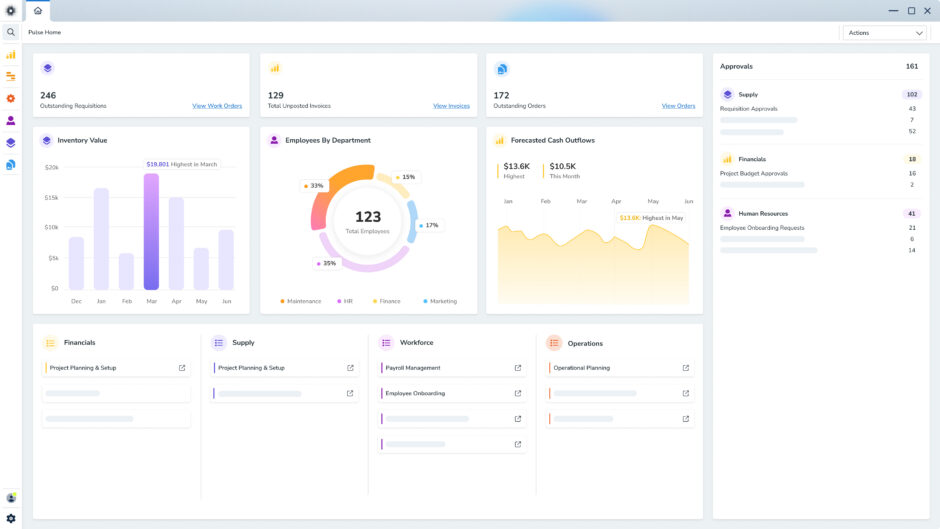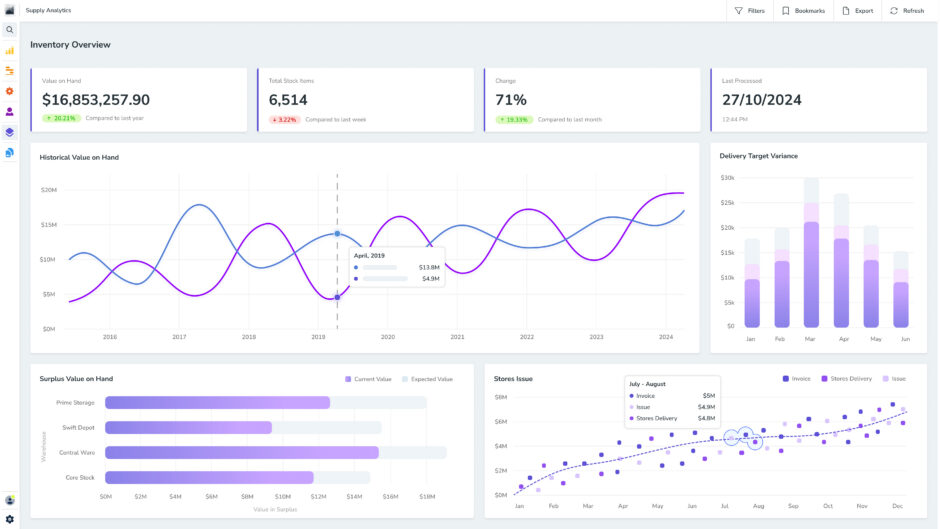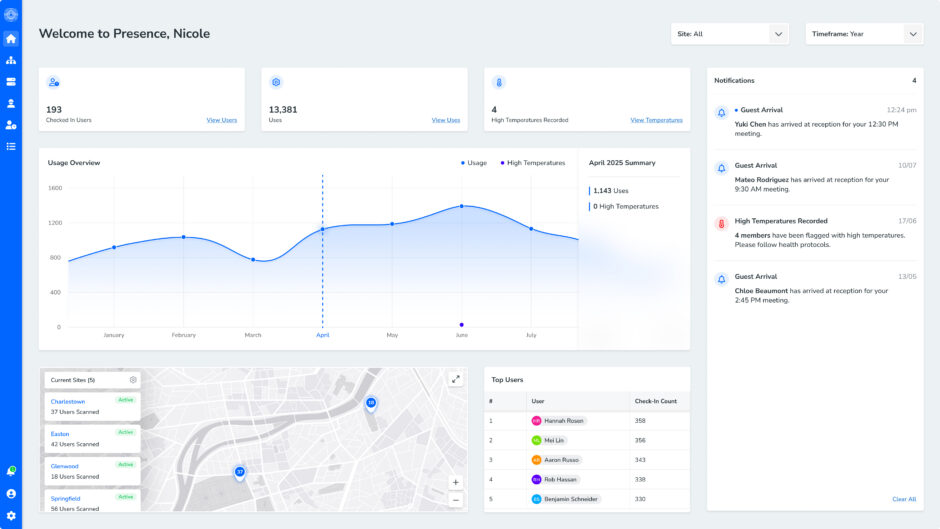
Every business reaches a point where a smarter solution is needed to organise data, simplify processes, and scale effectively. Outgrowing your spreadsheets, sticky notes and legacy platforms?
It’s time to make the move to an Enterprise Resource Planning (ERP) and/or Customer Relationship Management (CRM) system.
Both ERP and CRM integrate data and automate tedious tasks. But they have very different focuses.
CRM is all about building stronger customer relationships via marketing, sales and support services. ERP, on the other hand, takes the reins on internal activities, streamlining financial, operational, supply chain, and inventory management.
The numbers show just how important these tools are becoming: the ERP market is projected to hit US$78.41 billion by 2026, while the CRM market is expected to soar to US$96.5 billion by 2028.
So, if your business wants to thrive in the digital era, understanding the strengths of an ERP system vs CRM system—and how they can work together—is critical.
This guide will cut through the noise. Here, we’ll explore the key features, benefits, and differences of ERP and CRM software. Keep reading to discover which one is the right fit for your business.
What is ERP?
ERP, or Enterprise Resource Planning, is software that brings your core business processes into one central hub. It’s designed to simplify operations, cut costs, and boost efficiency by providing a unified view of your organisation’s activities.
First and foremost, ERP handles accounting tasks like managing the general ledger, accounts payable and receivable, payroll, and financial data reporting.
But it goes beyond finances, helping businesses manage inventory, orders, supply chains, procurement, production, and fulfilment. Many ERP systems also offer features for Human Resources (HR), eCommerce and CRM.
By centralising operations, ERP gives you real-time insights, reduces data duplication, and ensures consistency across your organisation.
This clarity supports smarter decision-making, better collaboration, and improved customer service—all while keeping your business running smoothly.
Some standout features include:
Financial oversight
Keeping your finances in check is crucial, especially for businesses juggling multiple revenue streams and expenses.
ERP software offers robust financial management tools, making it easier to track budgets, monitor cash flow, and maintain financial health.
Supply chain visibility
With ERP systems, you gain detailed insights into your supply chain operations. Real-time tracking helps you monitor inventory and shipments, anticipate potential delays, and address issues proactively.
This unrivalled visibility boosts operational efficiency and preparedness.
HR management
From recruitment to onboarding and timekeeping, ERP systems streamline HR processes. By automating tasks and centralising employee data, the HR module saves time, increases accuracy, and enhances overall productivity.
Benefits of ERP systems
One source of truth
An ERP system’s greatest strength lies in its unified database, consolidating all financial and operational data in one place.
By removing the need for siloed software accessible to only specific teams, every department can access the information they need independently.
In other words, with a single, reliable data source, employees can gain valuable insights without relying on IT or finance teams for analysis.
This fosters a proactive workflow, streamlining the creation of routine reports and fulfilling leadership’s on-demand reporting needs more efficiently.
All-around access also accelerates decision-making, uncovering opportunities for growth, enhancing profitability, and driving operational excellence.
Better decision-making
Modern ERP systems deliver real-time data insights and customisable reports, giving you a clear snapshot of your business performance—no manual reporting required.
You can instantly access key metrics like resource usage, production output, and profitability to make faster, data-driven decisions.
With its built-in analytics, an ERP can pinpoint inefficiencies, suggest cost-saving strategies like automating processes or switching suppliers, and help optimise operations.
By connecting systems and automating data flow, decision-makers get accurate, actionable insights when they need them.
The result?
More agile and effective responses to evolving market conditions.
Maximum efficiency
ERP software takes the burden of manual, repetitive tasks like invoicing, reporting, and payroll off your team’s shoulders via automation.
This minimises human error, accelerates workflows, and propels productivity, helping teams to work smarter, not harder.
For instance, automating finance and accounting tasks with an ERP can significantly reduce the time needed to close the books.
Instead of spending days on manual processes, employees can focus on strategic initiatives that drive growth and innovation.
Built to scale
ERP systems are structured to scale, accommodating new processes, users, and data as your business grows.
By integrating essential tools that adapt to your evolving needs, these systems eliminate the hassle of transitioning to new technologies. This not only reduces costs but also ensures your operations remain efficient and future-ready.
Greater customer satisfaction
An ERP system takes customer satisfaction to the next level by equipping your team with instant access to real-time data for faster, more accurate responses to inquiries and concerns.
Its integrations simplify workflows and customer interactions, helping you deliver a positive experience that builds brand loyalty.
Alignment across departments
One of the most powerful features of an ERP is its ability to integrate data across departments.
By centralising information into a single, accessible platform, ERP ensures all teams work from the same playbook for stronger collaboration and alignment.
For example, ERP systems bridge the gap between production and demand. Advanced features like demand forecasting and resource planning use historical data and seasonal trends to prevent overproduction or shortages. This aligns your operations with market needs.
Meanwhile, sales teams gain valuable insights into payment statuses, credit limits, supply chain updates, and order fulfilment issues directly from the ERP.
With this knowledge, they can anticipate delays, suggest alternatives, and make informed decisions to upsell or improve the customer experience—all while keeping production and sales in sync.
Effective resource allocation
ERP systems revolutionise resource management by delivering on-the-spot insights that align operations with actual demand. They highlight exactly where to focus your budget, workforce, tools, and materials for the best results.
For example, an ERP can identify top-performing services during peak seasons, enabling you to strategically allocate staff and resources where they’ll deliver the highest ROI.
This helps prevent underutilisation or waste, keeping your operations lean and ready to meet customer needs efficiently.
Cut costs
ERP systems slash operational expenses by unifying multiple business functions into one optimised platform with automated workflows.
By removing redundancies like manual data entry and repetitive processes, ERPs reduce administrative overhead and free up valuable resources.
That way, teams can accomplish more in less time while shifting their focus to high-impact, growth-driving projects. Discover more cost-effective operations that maximise resources and potential.
Superior HR management
ERP systems redefine how businesses manage their teams by centralising hiring, training, and performance tracking into one simple platform.
For example, you can match employee skill sets to the right projects for maximum efficiency and job satisfaction.
With instant insights and automated workflows, you can identify top performers, address gaps, and create a workplace that attracts and retains top talent.
That means a more engaged and productive workforce that drives business growth.
Faster financial close
ERP systems streamline the financial close process, transforming what was once a labour-intensive task into an efficient, automated workflow.
Traditionally, finance teams spend significant time manually compiling and reconciling income and expenses at the end of each month or quarter—a process often slowed down by reliance on spreadsheets and scattered data.
With an ERP, many of these steps are automated, getting rid of tedious tasks and centralising financial information.
This allows companies to close their books faster—often reducing the timeline from several days to just a fraction of the time—freeing teams to focus on strategic financial planning.
Solid data security
ERP systems, whether on-premise or cloud-based, come equipped with cutting-edge security features to safeguard your organisation’s sensitive information.
By consolidating data into a single, secure platform, they eliminate the risks associated with scattered systems or outdated paper records.
With tools like role-based access controls, data encryption, and automated backups, ERP systems ensure only authorised personnel can view or modify critical information.
They also monitor user activities for accountability, update security protocols to counter emerging threats, and provide robust protection against hacking and data breaches—keeping your business secure and compliant.
Smart supply chain management
ERP systems transform supply chain management by offering real-time visibility into inventory, tracking shipments, and streamlining procurement.
These capabilities ensure you have the right stock at the right time while avoiding overstocking or shortages.
For example, an ERP can analyse purchasing trends to help you negotiate better supplier contracts or automate restocking based on demand.
By cutting waste and improving operational flow, businesses can lower costs, enhance efficiency, and deliver products faster—keeping customers satisfied and operations running smoothly.
What is CRM?
CRM, which stands for Customer Relationship Management, is software designed to help businesses manage and nurture relationships with their customers. You can store customer information, track interactions, and automate processes to streamline sales, marketing, and support activities.
By using CRM software, teams can better understand what customers want, simplify communication, and deliver personalised solutions.
This deeper insight helps build trust, foster loyalty, and create impactful marketing campaigns that resonate with your audience.
Here are some key features that make a CRM system invaluable for many businesses:
Contact management
A CRM system serves as a centralised database for all customer information, like names, phone numbers, email addresses, and purchase history.
It doesn’t just store data; it also monitors every interaction, giving you a complete picture of your relationship with each customer.
Real-time updates ensure you have the latest information at your fingertips, helping your team stay organised and responsive.
Marketing support
For marketers, a CRM is a must. It lets you segment your audience into specific groups, making it easier to deliver targeted campaigns that resonate.
By tracking where leads are in the sales funnel, CRMs help you pinpoint the best time to engage. You can also automate emails and marketing messages, ensuring your communication reaches the right people at the perfect moment to drive conversions.
Workflow automation
A CRM streamlines repetitive tasks by automating workflows, allowing your team to focus on more strategic activities.
With automation rules, you can trigger actions like sending abandoned cart reminders, scheduling follow-up emails, or running drip campaigns—all without manual intervention. This can save you time and money.
Analytics
Analytics tools within a CRM provide actionable insights into your customer data, helping you identify what’s working and what needs improvement.
Detailed reports show how your campaigns are performing, reveal patterns in customer behaviour, and highlight growth opportunities.
Sharing these insights across teams ensures everyone has the information they need to personalise interactions and make smarter business decisions.
Third-party integrations
Modern CRMs can integrate with a variety of third-party tools to extend their functionality.
For example, linking your CRM with platforms like Mailchimp or Google Analytics enables you to create customised email campaigns, track website behaviour, or manage social media interactions seamlessly.
With these integrations, your CRM can fit smoothly into your existing tech ecosystem.
Benefits of CRM software
Strong customer relationships
CRM software helps sales, service, and marketing teams collaborate seamlessly by providing a complete view of each customer’s history and interactions.
This shared insight ensures every interaction feels consistent, thoughtful, and responsive, no matter who the customer connects with.
The outcome?
Customers feel genuinely valued and supported, fostering trust and loyalty that keeps them returning to your brand.
Personalised experiences
A CRM helps create smarter, seemingly one-of-a-kind online journeys.
Imagine this: You’re browsing an online store, and as soon as you log in, you’re greeted with product recommendations that match your style, a discount code for an item you viewed last week, and a quick chat option with a support agent ready to help.
By understanding customers’ preferences and behaviours and centralising data, a CRM ensures every interaction—whether it’s a follow-up email, a chatbot query, or a marketing campaign—feels relevant and tailored.
It’s about reaching the right people with the right message at the right time.
Improved productivity
CRM automation features take care of repetitive tasks like data entry and updating customer records, ultimately streamlining workflows and reducing errors.
By digitising customer interactions, these tools make it easy to engage via email, live chat, chatbots, and social media.
Live chat connects customers to representatives instantly, speeding up response times, while AI-powered chatbots are available 24/7 to handle inquiries, boosting customer satisfaction.
That way, customers get support when and where they need it.
Additionally, AI features in CRM systems enhance email campaigns with smarter personalisation, making outbound marketing more targeted and effective.
More sales
A CRM helps your sales team truly understand your customers—their needs, preferences, and behaviours—so they can connect in a way that feels genuine.
By customising their approach, they’re able to spot new opportunities, build stronger relationships, and close more deals.
And with all customer interactions and details stored in one place, everyone’s on the same page. No more customers repeating themselves or feeling like just another number.
Instead, your team delivers a seamless, thoughtful experience that encourages browsers to buy.
Higher revenue
A good CRM makes life easier for your sales team. It helps them track leads, manage opportunities, and keep the sales process running smoothly.
That can mean quicker sales cycles, better conversion rates, and a noticeable lift in revenue.
Smarter decisions
With built-in analytics and easy-to-use reports, a CRM gives you clear insights into customer behaviour, sales trends, and what’s working in your marketing efforts.
These insights empower you to make confident, data-driven decisions that lead to better results—like knowing exactly which customers to focus on or how to fine-tune your approach for maximum impact.
Imagine this: your sales team walks into a meeting already aware of any unresolved issues the customer might have, ready to provide solutions.
Meanwhile, your customer service team instantly identifies VIP customers and ensures they get top-tier support.
Similarities between ERP and CRM
ERP and CRM systems share common ground as essential business tools that store and analyse data using relational databases.
Both can be implemented on-premises or accessed via the cloud through a Software-as-a-Service (SaaS) model, where the provider hosts and manages the software in their data centres.
But these software solutions have some major differences, too.
Read on to learn more about an ERP system vs CRM system.
ERP system vs CRM system: 5 key differences
So, what is the difference between an ERP and a CRM? When it comes to comparing these systems, there are several key distinctions.
Here’s what sets them apart in focus, scope, data management, cost, and scalability.
Scope
The first factor to consider when comparing an ERP versus CRM is scope.
An ERP system is like a Swiss Army knife for your business. It handles just about everything—finance, supply chain, HR, manufacturing, and more. It’s built to centralise and simplify back-office operations across the board.
CRM, by comparison, concentrates on supporting sales, marketing and customer service tasks.
If your main priority is customer-facing activities, CRM is your go-to. If you need a comprehensive system to oversee your entire business, ERP takes the lead.
Focus
ERP systems are designed to optimise how your business operates internally. They focus on critical functions to eliminate inefficiencies, allocate resources effectively, and reduce costs.
CRM systems, on the other hand, are all about strengthening customer relationships. They empower sales and service teams to manage interactions, automate tasks, and turn leads into loyal customers.
In short, ERP keeps operations running efficiently, while CRM drives customer engagement, retention and revenue.
Data management
As mentioned above, ERP systems deal with all kinds of data—customer details, internal business information, and everything in between. They’re the ultimate tool for making sure every department is working with accurate, consistent data.
CRM takes a more targeted approach, focusing on customer-related insights like sales pipelines, contact details, and communication history. It’s less about the entire business and more about giving you the tools to wow your customers.
Scalability
ERP scales with the size of your business. Adding new departments, entering new markets, or managing more data? ERP grows with you.
CRM, on the other hand, scales with your customer base. As your audience grows, CRM supports deeper engagement, better lead management, and stronger customer retention strategies.
Cost
Last but not least, when looking at a CRM vs ERP is cost.
CRM software tends to be easier on the budget and quicker to get up and running. Subscription-based models make it super accessible for smaller businesses, though costs can creep up if you need advanced features or large-scale integrations.
ERP, meanwhile, tends to be more customised and complex to get off the ground—but it’s worth it for companies looking to streamline operations at scale. It’s an investment in efficiency, built to pay off in the long run.
Plus, Pulse ERP has been designed to take the hassle out of your operations from day one at a fair price point. Learn more about this cost-effective and easy-to-use ERP system.
Choosing between CRM and ERP software
From small businesses to large enterprises, any growing company eventually needs both an ERP and a CRM system—or a single platform that combines the two.
Before choosing any system or product, business decision-makers should consider the following:
- Industry: CRMs excel in industries centred around sales, marketing, and customer service, where building and maintaining strong client relationships is key. Meanwhile, ERP systems are ideal in sectors like manufacturing, distribution, and retail, where streamlining operations and resource planning are critical to success.
- Business model: If customer relationships drive success, start with a CRM. If resource and financial management take precedence, opt for an ERP. A business with a few key clients and complex finances might favour an ERP, while one with a large, active customer base could benefit more from a CRM.
- Business goals: If you aim to enhance customer service or boost sales, a CRM is a solid choice. For businesses prioritising operational efficiency, cost reduction, and informed decision-making, ERP software provides the tools to get it done.
Potential weaknesses: Software can strengthen a business’s areas of need. Choose a CRM to enhance front-end processes or an ERP to improve back-end operations, depending on which area needs the most help.
After exploring these considerations, it’s easier to break down the choice between ERP and CRM.
Consider ERP software if you need to:
- Optimise back-office operations: Struggling with hiring processes, accounting tasks, or supply chain management? ERP software integrates these functions, improving efficiency and reducing complexity.
- Handle rapid growth: Growth is exciting, but it can also create chaos. An ERP solution centralises essential data and aligns your departments, keeping everything running smoothly as your business expands.
- Streamline tools: Juggling multiple platforms is not only costly but also confusing. ERP software consolidates your key operations into a single, user-friendly system, making life simpler for your team.
Consider CRM software if you need to:
- Manage complex customer relationships: While ERP systems offer fundamental customer data management as part of their broader functionality, CRM software focuses entirely on enhancing customer interactions. For businesses managing large customer bases, multiple engagement channels, or long-term, high-value relationships, a dedicated CRM provides the depth and tools needed to create exceptional customer experiences.
- Get organised: CRM software is designed to centralise and simplify customer data management, making it an excellent tool for businesses focused on building stronger customer connections. When paired with an ERP system, CRM adds a layer of customer-centric functionality, ensuring every interaction is informed by up-to-date insights.
- Focus on marketing, not manufacturing: While ERP systems are a powerhouse for planning and resource management, CRM tools shine when it comes to refining marketing efforts and customer service.
All things considered, if you’re running a small business with simple day-to-day operations, a CRM might do the trick for managing customer relationships.
But as your business grows and things get more complex, an ERP can step in to handle the heavy lifting—like managing finances, inventory, and manufacturing—all in one place.
Many businesses start with spreadsheets or basic accounting software, but when those tools start slowing things down or making life harder, it’s a sign that upgrading to an ERP could be the right move.
If you’re still not sure, speak with our specialists today. We can help meet your needs with the right software solution.
Do I need a CRM and an ERP at the same time?
As your organisation scales, the answer is almost always yes. Whether you’re running a small local business or managing a large global enterprise, having both a CRM and an ERP—or a unified platform that combines them—can be a game-changer.
After all, these tools serve different purposes and complement one another. By pairing your CRM with your ERP, you can seamlessly manage operational efficiency while prioritising client satisfaction and loyalty.
Keep reading to discover how to integrate these two systems.
ERP and CRM integration
As explained above, ERP systems handle the nuts and bolts of your business—finance, inventory, HR, and supply chain—while CRM systems are all about connecting with customers, tracking sales, and building strong relationships.
When these two systems work together, the results can be transformational, creating smoother workflows and better customer experiences.
Picture this: a retailer uses CRM insights to personalise offers for a customer while the ERP system manages their order and payment details behind the scenes. By integrating these platforms, you eliminate manual processes and keep everything running seamlessly in real time.
Here’s how your business benefits from an integration of ERP and CRM systems:
- Real-time financial visibility: Integration centralises information like financial and customer data. As well as cutting down on duplication and errors, this gives your teams reliable, up-to-date insights across the board.
- Better customer relationships: With a unified view of customer data, teams can respond faster, offer tailored solutions, and create memorable experiences that build loyalty.
- Streamlined processes: Automation takes over repetitive tasks by linking sales activities with order management and fulfilment. This saves time, reduces errors, and frees up your team to focus on what matters most.
While the benefits are clear, successful integration means navigating some common obstacles:
- Data incompatibility: Differences in data formats or structures between systems can cause inconsistencies if integration isn’t approached correctly.
- Migration risks: Moving large datasets can result in loss or corruption without proper planning and tools.
- Complex configuration: Depending on your provider, customising both systems to meet unique business needs can be time-intensive and technically demanding.
- User adoption: Employees might resist changes or struggle to use the new system effectively, making comprehensive training key.
With the right strategy, tools, and training, businesses can turn integration challenges into opportunities. Let’s take a look at some best practices.
Best practices for a successful ERP and CRM integration
Bringing your ERP and CRM systems together doesn’t have to be a headache. With the right plan, you can enjoy smoother operations and stronger insights across your business. Here’s how to nail the integration process:
1. Know what you want
Get clear on your goals—whether it’s improving the flow of data between sales and finance or boosting customer service. Outline exactly what data and features each system needs to share to meet your business needs.
2. Pick the right setup
Decide how your systems will connect. Do you go for direct integration (super seamless) or use middleware as the go-between? Consider how complex your setup is, how much you want it to grow, and how easy it’ll be to maintain in the future.
3. Clean up your data
Nobody wants a mess. Before integrating, tidy up your data to avoid duplicates and errors. Set rules to keep your info consistent and reliable across all systems going forward.
4. Bring in the experts
Time to call the right people for the job—your IT team, sales, finance, and customer service pros. They know the ins and outs of what’s needed, can spot potential issues early, and make sure the integration works for everyone.
5. Plan it out
Map out a step-by-step plan with clear timelines, milestones, and resources. Think ahead for any surprises, and make sure your plan covers technical requirements, business needs, and user experience.
6. Test like a pro
Before you go live, test everything in a controlled environment. Check the data, workflows, and how the systems interact in different scenarios. This is your chance to catch and fix any hiccups.
7. Train your team
Don’t just hand over the system and hope for the best. Train your team so they know exactly how to use it. Keep the support going with easy-to-access guides and a reliable helpdesk.
By following these steps, you’ll turn what could be a daunting task into a smooth, stress-free integration that sets your business up for success.
A simple, secure & scalable ERP with smooth CRM integration
Deciding between an ERP system vs CRM software is key to optimising operations and strengthening customer relationships.
By understanding the unique benefits of each, you can choose the right tools to boost efficiency, enhance satisfaction, and support your business goals.
Seeking a seamless solution?
Pulse ERP can integrate easily with your CRM system.
Centralise data, optimise workflows and reduce costs while delivering exceptional customer experiences. You’ll enjoy smarter decision-making, greater efficiency, and stronger performance. All in a secure, scalable platform that evolves with your business.
Streamline processes, minimise risks, and maximise profitability with Pulse ERP. Request a free demo today.