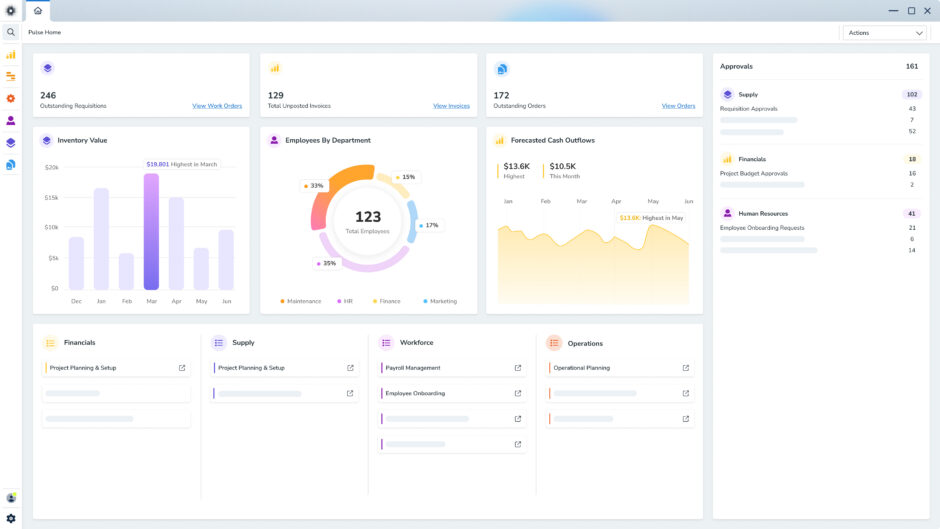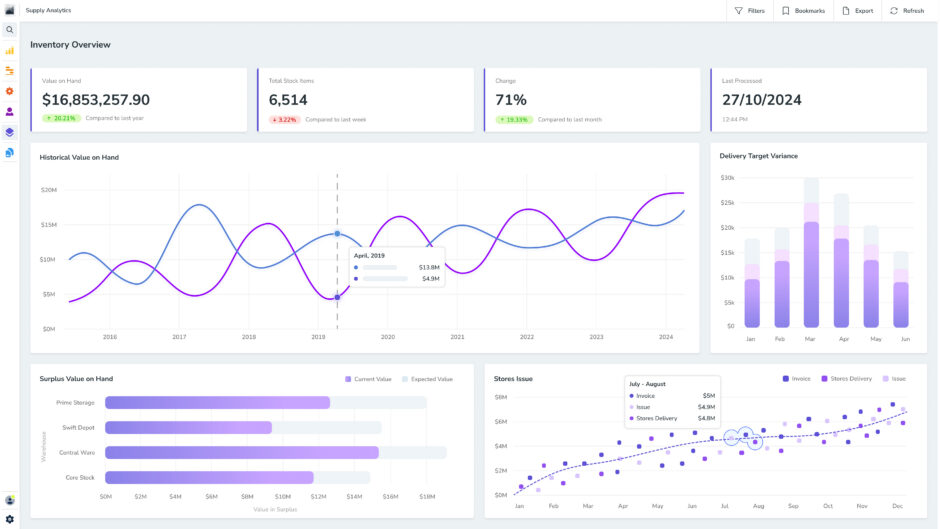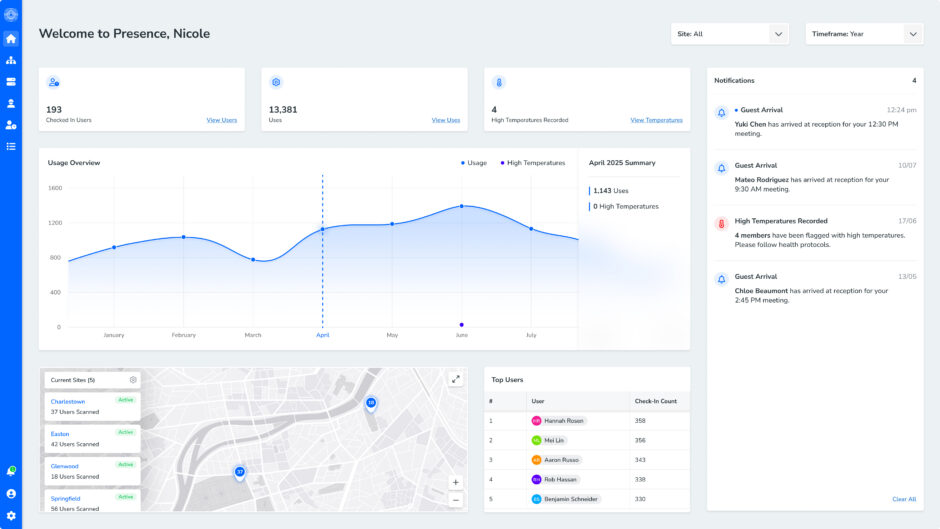
ERP system implementation is a major step for any growing business. By connecting finance, operations, inventory and reporting into one platform, you can maximise visibility, ease and efficiency.
However, without a smart strategy, clear goals and the right support, ERP projects can quickly become complex, costly and disruptive. That’s why following proven practices from day one is essential.
In this guide, we explain how ERP implementation works, the common challenges businesses face and the practical steps you can take to help your business roll out this game-changing software successfully.
What is ERP implementation?
ERP implementation involves rolling out an Enterprise Resource Planning (ERP) system across a business so that its core operations run through one connected platform.
This process usually happens in stages rather than all at once. Businesses typically start by reviewing their current processes, then configure the system to match how the organisation works. After that comes data migration, system testing and staff training before the final go live.
The goal of ERP implementation is to create a single, reliable source of business information. Done well, it improves efficiency, cuts manual work and gives leaders real-time insight into operations, helping your organisation make faster and better decisions.
Why implement a modern ERP system?
As businesses grow, many end up relying on a mix of disconnected software, spreadsheets and manual processes. This creates data silos, duplicated work and reporting gaps that make it harder to run operations efficiently.
An ERP system solves this problem by bringing multiple business functions from finance to production into a single database. It improves visibility, reduces manual work and helps teams make better decisions.
Let’s take a closer look at some of the main benefits of ERP implementation.
Real-time visibility for stronger decision making
One of the biggest advantages of an ERP system is the ability to see how your business is performing in real time.
Instead of pulling reports from different platforms or waiting for manual updates, ERP software gives you immediate access to accurate, up-to-date operational and financial data. This includes information like inventory levels, job costs, and cash flow.
As a result, businesses can identify trends earlier, spot inefficiencies, and make more strategic, data-driven decisions.
Enhanced efficiency across the business
Disconnected systems often force teams to enter the same information multiple times. This increases the risk of errors and slows down everyday work.
On the other hand, ERP software automates routine processes and shares data across departments. When information is entered once, it becomes available across the entire system.
This automation saves time, minimises admin and helps teams focus on higher-value tasks that support growth.
Digital transformation, simplified
Managing multiple software tools across different departments quickly becomes complex, time-consuming and expensive. For instance, updates, integrations and maintenance all demand time and technical support.
A modern cloud ERP platform simplifies digital transformation by consolidating several systems into a single solution. Updates are delivered automatically, security is managed centrally, and users can access data securely from anywhere.
Over time, this flexible system is easier to manage, expand and adapt as your business scales.
8 steps to a successful ERP implementation process
A successful ERP implementation follows a clear, methodical process, with each stage building on the last to support real business operations.
While the exact approach varies based on each organisation’s needs, this process generally includes the below steps:
1. Business-specific planning
An ERP implementation project begins long before any software is installed. Start by reviewing how key parts of the business operate today.
This includes looking closely at:
- Finance and accounting: How transactions are recorded, budgets managed and financial reports produced
- Inventory and supply chain: How stock levels, purchasing and logistics are tracked
- Data and reporting: How reliable your data is, and how easily insights can be generated
- Existing technology: The systems, integrations and infrastructure currently supporting operations
- Workflows: where manual tasks slow teams down or create inconsistencies
- User experience: Whether employees find current systems easy or frustrating to use
This review helps identify where existing systems are holding you back, or in other words, the operational gaps an ERP system should solve.
Next, define what the ERP project needs to achieve. This means outlining the business functions the system will support, the data that will be migrated and the outcomes your organisation wants to see. Ask your team:
Which processes should be improved or automated?
What data needs to be consolidated into the new system?
Which metrics will measure success after implementation?
Which departments and stakeholders must be involved?
The answers to these questions will set a clear direction for your ERP implementation.
2. ERP system selection
Once you’ve defined the scope of your ERP project, the next step is choosing the right platform. This decision will shape how your business manages data, workflows and reporting for years to come, so it’s worth taking the time to evaluate your options carefully.
The best ERP system is one that fits how your business actually operates while also supporting future growth. It should simplify processes, improve visibility across relevant departments and integrate smoothly with the tools you already use.
3. System configuration
Your chosen ERP platform should be tailored to align with your operations and goals.
This stage involves setting up the organisational structure, configuring financial accounts, defining business units and activating relevant modules. User roles and permissions are also established to control access to data and system functions.
While some level of customisation is often required, try to avoid unnecessary complexity and costs. The goal is to strike the right balance between using standard ERP functionality and adapting the system to support key business processes.
4. Data migration
Data migration is one of the most critical and time-consuming parts of ERP implementation.
Common data sets migrated during ERP implementation include customer records, supplier information, product data, financial accounts, inventory files and historical transactions.
Before this information can be transferred to the new system, it has to be reviewed, cleaned and prepared. This ensures only accurate and relevant information is moved across.
A structured migration plan helps reduce errors and protect data integrity. Many organisations also perform test migrations to identify issues before the final data migration.
5. System testing
Before the ERP system goes live, it needs to be thoroughly tested. Several types of testing are typically performed, including functional testing, integration testing and user acceptance testing.
These checks ensure that workflows function correctly, integrations work as expected and migrated data is correct. It also gives you the opportunity to flag and resolve issues before the system is adopted business-wide.
Involving end users during testing is especially valuable, as it provides practical feedback on usability and helps confirm the system actually supports specific business tasks.
6. Team training
Even the best ERP system will fall short if employees struggle to use it.
Training ensures staff understand how the new system works and how it supports their day-to-day responsibilities. This could include workshops, online training sessions, user guides or hands-on demonstrations.
You can also nominate internal subject matter experts who receive advanced training and act as the first point of support for their teams.
7. Launch
It’s time for the ERP system to go live. At this point, it becomes the primary platform used across your organisation.
You can typically choose one of three rollout approaches: a full system launch, a phased rollout across departments or a parallel deployment where the new system runs alongside the old one temporarily.
During this stage, the project team should monitor system performance, user activity and data accuracy closely to ensure everything runs smoothly.
8. Ongoing optimisation
As teams start using the system day to day, your business can fine-tune workflows, expand functionality and improve reporting based on real operational needs.
Ongoing support is essential to resolve technical issues, monitor system performance and provide continued training as users become more familiar with the platform.
Moreover, regular reviews, updates and user feedback help keep the system performing well and ensure it continues to support the business as it grows.
Common ERP implementation failures
ERP implementation is complex. Even well-planned rollouts can run into problems if the organisation isn’t fully prepared for the level of change involved.
Importantly, most ERP failures aren’t caused by the software itself. They usually happen because of a lack of planning, stakeholder involvement or clear expectations around time, cost and internal resources.
Understanding the most common obstacles early can help your business reduce risk and set its ERP project up for long-term success.
Here’s why ERP implementations fail:
Not engaging key stakeholders
One of the most common reasons ERP projects struggle is a lack of involvement from the right people inside the business.
ERP systems affect almost every department, from finance and operations to sales, procurement and reporting. If key stakeholders aren’t involved in the planning process, the system might be configured in ways that do not reflect how teams actually work.
Poor planning
ERP implementation demands careful planning and realistic expectations around time and resources. Without a clear plan and timeline, projects can quickly lose direction and run into delays.
For instance, many businesses underestimate the amount of work involved, particularly when it comes to preparing business data, mapping processes and testing workflows. Tasks like building product records, cleaning financial data or configuring inventory systems can take far longer than expected.
Unexpected costs and complexity
ERP implementation isn’t simply a software installation. It’s a business transformation project that often requires organisations to rethink how their processes, systems and teams work together.
The complexity of an ERP rollout depends on several factors, including the number of modules being introduced, the level of customisation required, integration with existing systems and the volume of historical data that needs to be migrated.
Many businesses underestimate the organisational changes required. Introducing ERP often means standardising processes, improving data management and redefining responsibilities across departments.
As these factors increase, so do the time, resources and costs involved in the implementation.
H3: Inadequate team training
Even the best ERP system will struggle if employees don’t feel confident using it.
Staff often resist new systems because they’re comfortable with existing processes. Without proper training and communication, this resistance can slow adoption and limit the benefits of the new platform.
No ongoing support
ERP implementation isn’t finished after the new system’s launch. In reality, that’s just the beginning. Businesses often need support as teams adapt to the new platform, which is why working with an ERP provider that offers ongoing assistance is critical.
Without a reliable implementation partner who can continue to assist you after launch, it’ll be difficult to optimise the system and resolve issues as your business evolves.
Best practices for seamless ERP system implementation
Implementing an ERP system is a major step for any organisation. While every business has different requirements, there are a few proven practices that typically lead to a swifter, smoother and more successful rollout:
Start with a clear implementation plan
ERP implementations involve many moving parts, including process design, data migration, system configuration and staff training. Without a structured plan, projects can quickly lose direction and run into delays.
That’s why every successful ERP implementation starts with a roadmap that details clear milestones, responsibilities and contingency time. This allows the project team to track progress, identify risks early and make adjustments when needed.
Just as importantly, the plan needs to be practical. Businesses still need to run their day-to-day operations while implementing a new system, so the timeline should allow for both.
Overall, taking the time to plan properly results in a smoother implementation and stronger results once the system goes live.
Build the right project team
ERP systems touch almost every part of the business, so the implementation team should reflect that. Successful projects bring together representatives from across the organisation, particularly the people who will be using the system every day.
These team members can provide practical insight into existing workflows, identify potential issues early and help ensure the system is configured to support real business processes.
Strong leadership is equally important. Project sponsors and senior decision makers need to actively support the rollout, help manage resistance to change and keep teams focused on adopting the new system.
Many organisations also partner with experienced ERP specialists who provide technical expertise and guide the project from planning through to go-live.
Together, this mix of internal knowledge and external expertise gives the implementation the best chance of success.
Define clear goals and measurable outcomes
Before implementing an ERP system, it’s important to be clear about why the business is making the investment.
Setting clear goals from the outset allows your business to measure whether the implementation is delivering real value. These objectives are usually tracked using key performance indicators (KPIs) like improved productivity, lower operating costs, faster reporting or fewer data errors.
With clear benchmarks in place, your project team can stay focused on the outcomes that matter most, and leadership can clearly see the impact the ERP system is having on your business.
Keep communication open across the business
ERP implementation is as much about team members as it is about technology. That’s why clear, consistent communication is essential throughout the project.
Employees need to understand what changes are coming, how the new system will work and why the organisation is investing in it. When teams understand the purpose behind the change, they’re far more likely to support it.
Effective implementations also include structured training across the business. Staff need time to learn the system, understand new workflows and see how the changes will improve their day-to-day work.
Regular updates, workshops and feedback sessions help keep everyone aligned and allow potential issues to be identified early. Open communication also ensures the ERP system is shaped by the real needs of your business, not just assumptions made during planning.
Overall, when employees feel informed, supported and properly trained, the transition to the new system becomes far smoother.
Stay agile and keep improving
Even with careful planning, ERP implementation rarely follows a perfectly straight line. Unexpected challenges can appear during data migration, testing or workflow design.
The key is to stay flexible and focus on solving problems rather than sticking rigidly to the original plan. Monitoring performance and refining processes helps businesses unlock even more value from their ERP investment over time.
Choosing a scalable ERP platform also makes a difference. As your business grows or changes direction, the system should be able to adapt and support new processes.
How to select an ERP implementation partner for your business needs
Choosing the right implementation partner is one of the most pivotal decisions in any ERP project. After all, success depends less on the ERP software itself and more on the expertise of the team responsible for implementing it.
The right provider will help you choose the right system, design processes that fit your business and guide the project from planning through to long-term support.
When comparing ERP vendors, make sure to consider these key factors:
- Scalability: Your ERP system needs to grow with your business. Choose a provider that offers a flexible platform that can support additional users, locations, processes and modules as your organisation evolves.
- Integration with existing systems: The ERP platform should integrate smoothly with the software you already rely on, like CRM platforms and other business tools. Strong integration capabilities reduce manual data entry and ensure consistent data across the organisation.
- Transparent pricing and total cost of ownership: Look beyond the initial cost of the software. A reliable ERP provider should clearly outline the full cost of ownership, including licensing or subscription fees, implementation costs, integrations, training, support and ongoing upgrades.
- Training and ongoing support: ERP implementation does not end at go live. Choose a partner that offers structured training programs, responsive support services and access to experienced consultants who can help optimise the system as your business grows.
- Security and compliance standards: ERP systems manage critical business and financial data. Ensure the provider follows recognised security standards and compliance requirements, particularly if the system will be hosted in the cloud.
- Industry experience: Providers with experience in your industry understand common operational challenges and regulatory requirements. Ask for case studies or references from businesses with a similar size, structure or operational complexity.
- Local expertise and implementation capability: A strong ERP partner should provide consistent expertise across all stages of the project, including system configuration, staff training and ongoing support. Local implementation teams can also make communication and troubleshooting far easier.
- Ability to manage scope and project changes: ERP projects often uncover new opportunities or requirements during implementation. A good partner helps manage change requests carefully to avoid scope creep, delays and unexpected costs.
- Reputation and innovation: Finally, research the provider’s track record. Reviews, testimonials and client references can reveal how reliable, responsive and forward-thinking the vendor is in real-world ERP projects.
Discover all of these benefits and more with Pulse. To learn more about our end-to-end ERP services, request a demo today.
ERP implementation FAQs
ERP stands for Enterprise Resource Planning. An ERP system is business software that connects core business functions into one central platform.
Instead of running separate systems for departments like finance, production, maintenance, HR and supply chain management, ERP brings everything together so that information flows across the organisation in real time.
By linking these processes, an ERP system can minimise manual work, improve reporting accuracy and help teams make faster, better decisions.
Modern cloud ERP platforms also allow staff to securely access business systems from anywhere, which is essential for growing organisations.
A strong ERP project team is one of the most important factors in a successful ERP implementation. They plan the rollout, guide decisions and ensure the system is configured in a way that actually supports how the business works.
Typically, this project team includes experienced internal staff who understand the company’s processes, along with ERP specialists like Pulse who provide technical and implementation expertise. Together we map workflows, configure the system, migrate data, test processes and train staff before the system goes live.
Choosing the right people for this team matters. It should include respected employees who understand the business deeply and can make practical decisions about process improvements. They also need the time and authority to focus on the project.
Executive support also plays a critical role. Leadership helps prioritise resources, resolve challenges and keep the project aligned with business goals.
With the right people involved, your business can deliver an ERP system that works smoothly and delivers long-term value.
Most ERP implementations take six to twelve months from planning to full rollout. That said, the exact timeline depends on the size of your business, the complexity of its processes and the scope of the project.
Additionally, after launch, most businesses spend some time refining workflows and reporting as teams begin using the system day to day.
The cost of ERP implementation depends on the size of the business, the chosen platform and how much customisation is required.
For example, one major cost factor is how the system is hosted. Cloud ERP typically runs on a subscription model, where businesses pay per user or based on usage. This reduces upfront infrastructure costs. Meanwhile, on-premises ERP usually requires a larger initial investment in software licences, servers and internal IT support.
Other costs include implementation consulting, system configuration, data migration, staff training and integration with existing software.
At Pulse, we’ll provide a clear, tailored quote upfront so that you can be confident in your costs from the outset.
The ROI of an ERP system is calculated by comparing the total cost of the system with the measurable improvements it delivers across the business.
Start by identifying the key metrics that matter most to your organisation. These often include faster order processing, improved inventory accuracy, lower operating costs, better cash flow visibility and clearer financial reporting.
Next, measure these metrics before and after implementation. If ERP reduces stock holding costs, improves production efficiency or eliminates manual processes, those gains can be translated into real financial value.
These benefits are then compared against the total cost of ownership, including software licences, implementation services, training, support and ongoing system maintenance.
Remember that not all ERP benefits are purely financial. Improved data accuracy, stronger compliance, better collaboration between teams and higher customer satisfaction also contribute to long-term value.
Many businesses start seeing measurable improvements within a few months of going live, with the full return becoming clearer as the system becomes embedded in daily operations.
Yes. In most cases (like with Pulse), ERP implementation services include ongoing support after the system goes live. That’s because launching this system is only the beginning.
Once your teams start using the ERP platform in their day-to-day work, new opportunities often appear to improve processes, expand functionality or add new reporting tools.
Post implementation support can also include user training, troubleshooting, system performance monitoring and advice on improving workflows.
Ultimately, an ERP system evolves alongside your business. With ongoing support, the system can continue to deliver value as operations change and new opportunities emerge.
Make ERP implementation easy with Pulse
ERP implementation is a significant step for any organisation, but the payoff is clear. When all systems are connected, your team can spend less time on manual work and more time focused on growing the business.
Ready to replace multiple legacy systems with one simple ERP platform?
Developed and supported in Australia, Pulse ERP brings finance, supply chain, production, maintenance and HR together in a single, seamless database.
With real-time reporting, automated workflows and local ongoing assistance, we help businesses streamline operations, enhance efficiency and make stronger decisions. All at unrivalled value.
Request a free demo to get started.