Maintenance issues and requests need to be translated into actionable and trackable tasks. Whether for an urgent repair or a routine inspection, work orders underpin safe, smooth and productive operations.
For maintenance managers, these documents make it easy to prioritise jobs, optimise workloads and avoid unnecessary downtime. For technicians, they remove guesswork and keep the job focused from start to finish.
But only if they’re handled properly.
Here, we explain what a work order is, why it’s important, how to create one, and how software can streamline the entire process. Keep reading for step-by-step instructions, best practices, and FAQs.
What is a work order?
A work order is a formal maintenance request that sets out the tasks, resources, and processes needed to keep equipment in prime condition. From routine servicing to emergency repairs, each work order details who is responsible, which assets to focus on, what steps to take and the tools and parts to use.
This digital or paper document is a key communication tool between technicians and wider teams, equipping maintenance managers to schedule, assign, track, and perform necessary activities.
By sharing clear details around job scope, schedule and instructions, it helps ensure every task is completed correctly, safely and on time.
A work request vs. a work order
A work request is the first step in reporting a maintenance issue, whereas a work order is the approved job that tells the technician what needs to be done.
Usually, a work request is submitted by someone outside the maintenance team, like an operator, supervisor or site worker.
For example, a machine operator may lodge a request after noticing a fault, safety concern or equipment breakdown.
A maintenance manager then reviews the request, decides whether the job should go ahead, and puts together any required details in a formal work order.
The purpose of a work order
A work order helps businesses plan, complete and monitor maintenance work in a much more organised, dependable and efficient way. Instead of relying on phone calls, emails or verbal instructions, each task is documented from start to finish.
This makes it easier to prioritise urgent repairs, schedule routine servicing, monitor technician progress and keep equipment running safely.
A work order is often used to:
- Explain the job requirements
- Set start dates, due dates and priorities
- Assign work to a technician or contractor
- Record parts, labour and completion notes
- Track asset history and maintenance costs
- Support compliance, safety and reporting requirements
When managed through the right software, work orders can also help teams control labour costs, improve asset performance and make more strategic maintenance decisions over time (more on this below).
The different types of maintenance work orders
Maintenance work orders can be grouped into different types based on the job, urgency and asset involved. Understanding these categories helps maintenance teams prioritise tasks, assign the right technician, manage resources and keep accurate service records.
The most common types of maintenance work orders include:
General work orders
General work orders cover everyday planned maintenance activities that don’t fit neatly into a more specific category, but still need to be assigned, tracked and completed properly.
They’re usually non-urgent jobs like painting, pest control, equipment setup, asset relocation, basic repairs or removing unused equipment.
Without general work orders, recurring tasks that are critical to smooth maintenance operations can be missed, delayed or handled off the record.
Preventive maintenance work orders
Preventive maintenance work orders are scheduled in advance to help stop equipment from failing. They cover cleaning, lubrication, calibration, filter changes, inspections, part replacements or other routine servicing tasks.
These work orders tend to be based on time intervals, usage hours or manufacturer recommendations. They aim to extend asset life, minimise unplanned downtime, boost reliability and lower the risk of costly breakdowns.
Corrective maintenance work orders
Corrective maintenance work orders are used when a fault or defect has been found, which hasn’t caused equipment failure yet.
For instance, a technician might discover a worn part during an inspection and create a corrective work order to repair or replace it.
Essentially, these orders help teams fix problems before potential incidents occur. Work is usually planned and scheduled, which makes it different from reactive or emergency maintenance.
Reactive maintenance work orders
Reactive maintenance work orders are raised after faulty equipment has begun to disrupt normal operations or failed completely. They’re used to organise repairs, assign the right technician and get the asset working again as quickly and safely as possible.
These work orders are common in asset-heavy industries where downtime can disrupt production, delay jobs or create safety risks.
They give maintenance teams a clear record of the fault, the repair carried out, the parts used and any follow-up action needed to reduce the chance of the issue happening again.
Emergency work orders
Emergency work orders are created when a critical issue demands immediate attention. For example, a burst pipe flooding a facility, an electrical fault creating a fire or shock risk, or a conveyor, crane or loading dock failing during active operations.
Because of their urgency, these unplanned maintenance work orders are given the highest priority. They help maintenance technicians respond quickly, record what went wrong, document the repair and identify steps that may prevent the same issue from happening again.
Predictive maintenance work orders
Predictive maintenance work orders are created using data, monitoring tools or performance trends to predict when equipment might fail. The goal is to complete maintenance at the right time, before an issue occurs, but without replacing parts too early.
While predictive maintenance can reduce downtime and improve asset performance, it often requires more advanced systems like sensors, condition monitoring, usage data, temperature readings, vibration analysis or historical maintenance records.
Inspection work orders
Inspection work orders are used to check the condition, safety and performance of equipment, assets or facilities. This can involve visual checks, performance testing, compliance audits or routine site inspections.
These work orders help maintenance teams flag early signs of wear, damage or failure before they become larger problems. They’re especially important in regulated industries where equipment must meet strict safety, quality or operational standards.
Electrical work orders
Electrical work orders cover maintenance, repair, installation or upgrade tasks involving electrical systems and equipment. This may include wiring repairs, lighting faults, power supply issues, switchboard work, electrical testing or compliance checks.
With a focus on maintaining safe and reliable electrical operations, these work orders reduce the risk of electrical failures, downtime and safety incidents.
Special project work orders
Special project work orders are used for non-routine maintenance tasks, system upgrades or larger improvement projects.
Whether it’s installing new equipment or modifying existing assets, these orders often demand more planning, coordination and resources.
Ultimately, they help teams manage complex work without losing visibility over costs, responsibilities and timelines.
Safety work orders
The main purpose of a safety work order is to protect people by addressing and reducing the risk of onsite hazards. To do this, they can cover everything from faulty safety equipment and chemical spills to damaged walkways and blocked exits.
These work orders also support workplace health and safety procedures by documenting the issue, response and corrective action taken.
How to create a work order
A work order gives maintenance teams a structured way to turn a reported issue, scheduled service or equipment fault into completed work.
While the exact approach will depend on the size of the business, the assets being managed, the industry, the available team and the level of reporting required, the general work order management process stays the same:
1. Identify the task
The process starts with task identification, when someone flags a task that needs maintenance attention.
This could happen after equipment breaks, during an inspection, through a preventive maintenance schedule or when an operator notices a fault.
Whatever its nature, defining the task clearly will help maintenance managers decide how urgent the job is and what needs to happen next.
2. Submit the work request
Task details need to be submitted as a work request. This gives the maintenance team enough information to assess the job before it becomes a formal work order.
A work request should explain what the issue is, where it is located, which asset is involved, who reported it and how urgent it appears to be.
For recurring maintenance, you can use software to automate work request submissions based on time intervals, running hours or asset condition.
3. Review the work request
A maintenance manager or supervisor must review and approve the request before any work begins. They’ll check whether the job is valid, how urgent it is, what skills are required and whether any parts, tools, permits or safety procedures are needed.
This step helps prevent vague or incomplete requests from slowing down your team. It also gives managers a chance to group similar jobs, schedule work around production needs, and make sure urgent tasks are not missed.
4. Create the work order
The approved request is turned into a work order with clear instructions for the maintenance team. This is where the task becomes a specific job that can be assigned, tracked and completed.
A work order should include the asset, location, task description, priority level, due date, assigned technician, required parts or tools, safety instructions and any supporting documents or photos.
The clearer the work order, the less time technicians spend chasing missing information. It also reduces the risk of errors, delays and repeat visits.
5. Schedule jobs based on priority
Not every maintenance task needs the same response. A crucial fault that creates a safety risk or stops production should take priority over a minor repair that can wait.
Maintenance managers usually prioritise work orders based on safety risk, asset criticality, production impact, compliance requirements and available resources. With a clear list of priorities, each job can be scheduled.
This step involves setting a deadline, assigning a technician, ordering parts, arranging access or planning the work during a shutdown or quieter production period.
6. Assign and perform the job
Each work order is assigned to a qualified technician with the right skills for the job. They should follow the instructions, complete the task and record important details as they go.
This may include the work carried out, parts used, time spent, safety checks completed, test results, photos and any issues found during the job.
These updates help maintenance managers keep an eye on progress and understand exactly what took place, where and why.
7. Document and close the work order
Once the task is complete, the work order should be reviewed and closed.
Before closing it, the technician or manager should confirm that the job has been carried out correctly and all key details have been recorded.
A closed work order typically includes completion notes, labour time, parts used, photos, inspection results, technician comments and any recommended follow-up work.
That way, your team will have a useful record for reporting, audits, compliance, asset history and future maintenance planning.
8. Analyse completed work orders
Completed work orders can reveal patterns that are easy to miss in day-to-day maintenance. They can show which assets fail most often, which tasks take longer than expected, where costs are increasing and whether preventive maintenance schedules need adjusting.
By reviewing this information, maintenance managers can improve planning, reduce repeat issues, make better repair decisions and keep equipment running more reliably over time.
Best practices for work order management systems
Work order management works best when every maintenance task follows a clear, consistent and streamlined process. Here are five core practices to help improve your approach.
Set clear goals and KPIs
Before creating or changing your work order process, define what you want it to actually achieve. For instance, the objective might be to improve response times, lower repair costs or minimise the number of overdue work orders.
Once the goal is clear, choose the metrics that will show whether your process is working. Common work order management KPIs include:
- Work order completion time
- Emergency work order volume
- Preventive maintenance completion rate
- Work order backlog
- Technician response time
- Labour hours per job
- Repeat faults on the same asset
- Maintenance cost per asset
Tracking these numbers helps managers see what’s working, where bottlenecks are forming and which assets demand closer attention.
Clarify roles and responsibilities
Every person involved in the work order process should know what they’re responsible for. That includes who can submit requests, approve work, set priorities, assign jobs, complete tasks, review notes and close work orders.
Clear responsibilities help prevent duplicate jobs, unauthorised work and confusion between managers, technicians, operators and contractors. They also improve accountability because each stage of the work order has a clear owner.
For example, an operator may report the issue, a maintenance manager may approve and prioritise the work, and a technician may complete the repair and record the outcome.
Standardise each step
A standardised work order process makes maintenance work easier to manage and reduces the risk of any information slipping through the cracks.
Everyone needs to follow the same steps for submitting requests, approving work, assigning technicians, completing tasks and closing work orders.
This process should be supported by clear templates, consistent job categories and simple approval rules.
A standard work order template also helps make sure each job includes the details technicians need, such as the asset, location, task description, priority, safety notes, parts required and due date.
When the process is consistent, teams spend less time chasing information and more time completing the work.
Be proactive
While not every breakdown can be predicted, many maintenance issues can be reduced with proactive planning.
Preventive maintenance schedules, routine inspections and condition monitoring help teams find problems before they turn into urgent repairs.
A proactive approach could include servicing equipment at set intervals, inspecting high-risk assets more often, replacing parts before failure or using sensor data to detect changes in performance.
This reduces reliance on emergency repairs and helps extend asset life. It also gives maintenance teams more control over labour, parts and downtime because work can be planned around production needs.
Take advantage of technology
Work order software helps maintenance teams manage jobs, assets, schedules, inventory and reporting in one simple, centralised system.
Instead of relying on paper forms, whiteboards or spreadsheets, teams can create, assign, update and close work orders online. This gives managers clearer visibility over requested work, jobs in progress, overdue tasks and assets with recurring issues.
It also gives technicians faster access to the information they need, including task details, asset history, safety notes, photos, manuals, checklists and parts requirements.
Ultimately, digital work order management can help teams:
- Schedule routine maintenance tasks automaticallyTrigger work orders based on time, usage, events or asset condition
- Track maintenance tasks in real time
- Attach photos, manuals, checklists and safety documents
- Record parts, labour and completion notes
- Monitor backlog and overdue jobs
- Build accurate asset maintenance histories
- Improve reporting and decision-making
Let’s take a closer look at its main benefits.
The advantages of using work order software
As a business grows, paperwork piles up and spreadsheets struggle to keep pace. Jobs get missed, records become scattered, and teams lose visibility over what needs to happen next.
Work order management software helps turn maintenance from a reactive, admin-heavy process into a clearer, more controlled and more cost-effective workflow.
Here, we break down the benefits of streamlining work order management with modern software like Pulse.
More visibility over performance
Work order software provides valuable insights into how maintenance jobs are tracking across the business.
Each completed job adds useful, accurate data, including response times, repair times, labour hours, parts used, asset history and recurring faults.
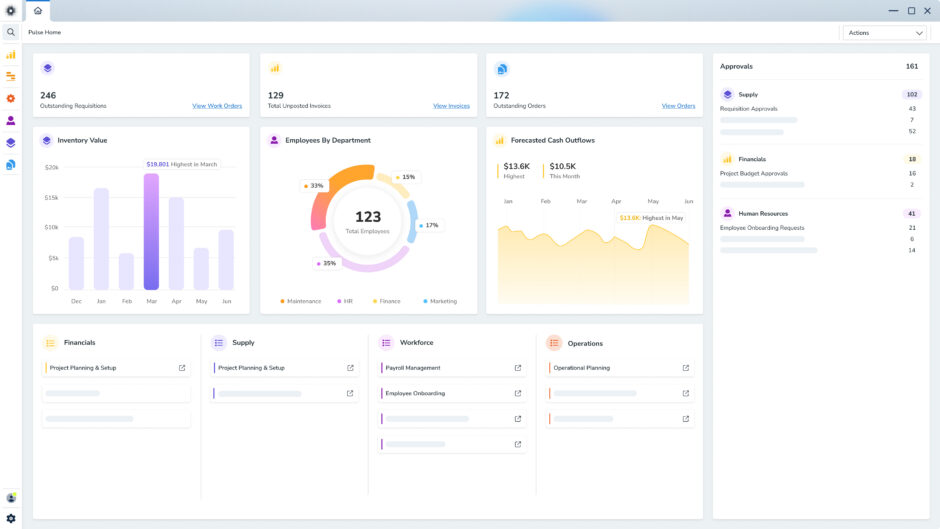
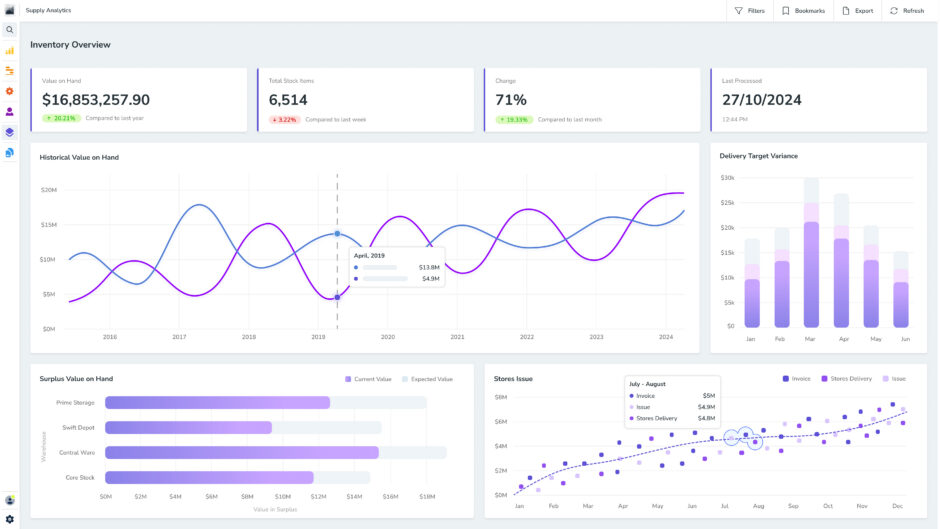
With Pulse Maintenance, managers can review this information through clear dashboards, custom reports and approval views.
This makes it easier to understand where work is flowing smoothly, where jobs are being delayed and which assets are placing the most pressure on the maintenance team.
For example, if certain jobs take longer than expected, managers can review resourcing, technician availability or task instructions.
Backed by reliable data, maintenance managers can make more effective decisions, drive continuous improvement, and plan budgets more accurately.
Lower maintenance costs
Work order software can help reduce maintenance costs by cutting down manual admin, improving job planning and reducing the risk of missed or duplicated work.
Instead of manually creating, filing and tracking every request, managers can use the system to schedule tasks, assign maintenance technicians, monitor progress and keep records in one place. This saves time for supervisors and gives technicians comprehensive instructions from the outset.
A digital system also reduces the need for paper-based storage and makes maintenance data easier to find, review and report on. Over time, this helps teams spot repeat issues, manage labour more efficiently and prevent small faults from turning into expensive breakdowns.
Improved scheduling
Work order software gives maintenance teams a simple way to schedule and allocate maintenance work. With Pulse Planning, managers can see upcoming jobs, available resources, equipment needs and technician workloads in one place.
This makes it easier to assign the right person to the right task, schedule work around production demands and reduce delays caused by missing parts, unclear priorities or double-booked resources.
Better planning also helps teams stay ahead of routine maintenance. Instead of reacting to jobs as they come in, managers can organise work in advance, improve asset availability and make better use of people, equipment and time.
Seamless communication
Work order software gives maintenance teams one place to manage job information, asset records, inventory, safety requirements and reporting.
Instead of switching between paper files, spreadsheets, emails and separate systems, everyone can work from the same up-to-date information.
Managers can monitor job status, labour requirements, parts usage, equipment downtime and asset history without chasing updates across multiple sources.
Platforms like Pulse can also connect maintenance data with other business information. For example, the tight integration between Pulse Maintenance and other Pulse modules, like Financials and Production, gives decision-makers a clearer view of how maintenance activity affects costs, operations and asset performance.
With all work order information centralised, teams can prioritise jobs more confidently, coordinate people and parts more effectively, and build reports that show what’s happening across maintenance.
Automated workflows
Work order software helps reduce manual admin by automating key steps in the maintenance process. Teams can use it to trigger recurring maintenance tasks, send reminders, manage approvals, update job status and notify the right people when action is needed.
This is especially useful for preventive maintenance. Instead of relying on someone to remember when each asset needs servicing, work orders can be created automatically based on time, usage, events or equipment condition.
Automation also helps reduce errors. When job details, updates and completion notes are recorded in the system, teams spend less time entering the same information in multiple places or searching through files for missing records.
Smooth regulatory compliance
Work order management software helps maintenance teams keep cleaner, more complete records for audits, safety checks and compliance reporting.
Teams can attach key documents directly to each work order, including OEM instructions, safety data sheets, Safe Work Method Statements, permits, photos, checklists and completion notes.
This gives technicians the information they need to complete the job correctly and gives managers a rigorous record of how the work was carried out.
It also makes compliance easier to trace. Instead of scrambling for paper files or clunky spreadsheets before an audit, teams can generate reports from the system and review past work orders by asset, date, technician, task type or completion status.
Mobile access
Mobile work order software gives technicians access to the right information in the field. Instead of returning to the office, searching through paperwork or waiting for updates, they can open job details on their mobile device.
With the Pulse Mobile Maintenance app, frontline workers are able to view, update and complete work orders in real time. They can record notes, capture photos, complete digital checklists and update job progress anywhere, anytime.
The app also supports offline work. Technicians can continue recording job information without an internet connection, then sync updates back to Pulse once they reconnect.
This helps prevent lost paperwork, incomplete records and delays between the job being done and the system being updated.
For managers and supervisors, mobile access provides live visibility over what’s happening on the ground. They can monitor job status, track progress and make faster decisions without relying on manual updates from technicians.
The result is a more connected and productive maintenance process, with less admin, improved compliance and faster communication between field teams and management.
FAQs
A maintenance work order should give technicians everything they need to complete the job safely, correctly and without unnecessary back-and-forth.
It needs to clearly identify the asset, explain the task, show who is responsible and record the details needed for tracking, reporting and future maintenance planning.
To remove guesswork, every work order should include:
- The asset name, number or location
- A clear description of the issue or task
- The scope of work
- Job priority
- Date created
- Target completion date
- Requester details
- Assigned technician or contractor
- Parts, tools or materials required
- Safety instructions or permits
- Supporting documents, photos or manuals
- Step-by-step task instructions or checklist
- Work completed notes
- Actual completion date
- Labour time and parts used
Together, these details help maintenance teams schedule work properly, avoid missed details and keep an accurate record of what was done, when it was completed and what resources were used.
The most common issues in maintenance work order management include:
- Miscommunication: Technicians do not receive clear instructions or job details.
- Incomplete work orders: Requests miss asset details, safety notes, parts or task requirements.
- Poor prioritisation: Urgent jobs are not separated from routine work.
- Manual admin: Paper, spreadsheets and whiteboards slow down updates and reporting.
- Limited tracking: Managers cannot easily see job status, overdue tasks or recurring asset issues.
These problems can slow down repairs, waste technicians’ time, and increase downtime. The best way to avoid them is to use standardised work order templates, clear priority levels and centralised maintenance tracking from request to completion.
Maintenance managers can prioritise work orders with a priority matrix. This approach ranks each job based on urgency, safety risk, production impact, asset criticality and compliance requirements:
- High-priority work orders are for jobs that address immediate safety risks, production halts or critical equipment. These may include emergency repairs, electrical faults, major leaks or equipment failures that disrupt operations.
- Medium-priority work orders usually involve faults that need attention soon but don’t require an immediate response.
- Low-priority work orders include routine inspections, minor repairs and general maintenance tasks that can be scheduled around higher-impact work.
This system helps technicians respond to the most important work first while still keeping preventive maintenance, inspections and routine tasks moving.
Work order software is usually a better option than pen and paper because it keeps maintenance information easier to access, update and track.
Firstly, paper-based work orders can be lost, damaged, filed incorrectly or handed in with missing details.
These outdated systems also make it harder to see what stage a job is at. Managers have to chase updates manually, while technicians might not have easy access to asset history, photos, safety notes or previous repair records.
Work order software brings this information into one place. Teams can record requests, assign jobs, upload photos, track parts and labour, and close out tasks with a clear digital record.
This is especially useful for businesses managing multiple assets, technicians, shifts or sites.
Work order software gives maintenance managers more visibility and control than a whiteboard because it creates a full, permanent record of every job.
While whiteboards can be useful for showing daily tasks, they don’t capture the full history of what was requested, who completed the work, what parts were used or when the job was closed.
Whiteboards also rely on people being in the same place to see or update the information. That can slow things down when technicians are working across different areas, shifts or locations.
With work order software, teams can submit, assign, update and complete jobs digitally. Managers can monitor job progress, overdue work, recurring issues and technician workloads in real-time without relying on handwritten notes or memory.
Unlike spreadsheets, work order software is purpose-built for managing maintenance workflows.
This approach still depends on manual updates and can become messy as the number of assets, technicians and work orders grows.
Additionally, spreadsheets are ill-equipped for live maintenance management. They don’t easily trigger recurring preventive maintenance, send alerts, assign work, track real-time progress or connect each job to a full asset history.
On the other hand, work order software gives maintenance departments a more reliable way to manage the full process online, anywhere, any time.
Platforms like Pulse can help automate scheduled tasks, reduce admin, improve reporting and make it easier to see exactly what work has been requested, completed or delayed as it happens.
Simplify work order management with Pulse Production
Work orders give maintenance teams the structure they need to manage tasks, protect assets and keep operations moving. When every job is clearly recorded, assigned and tracked, teams can respond faster, reduce downtime and build a reliable history of maintenance activity.
Pulse Maintenance helps bring that process into one connected system. Teams can manage job requests, schedule preventive maintenance, track assets, access work orders from mobile devices and use reporting tools to make better decisions.
With automated workflows, consolidated maintenance and ERP data, mobile access and total visibility, Pulse helps businesses move away from reactive maintenance and take a more controlled approach to asset management.
Request a free demo to learn how Pulse can simplify work order management, improve frontline productivity and support safer, more reliable operations.