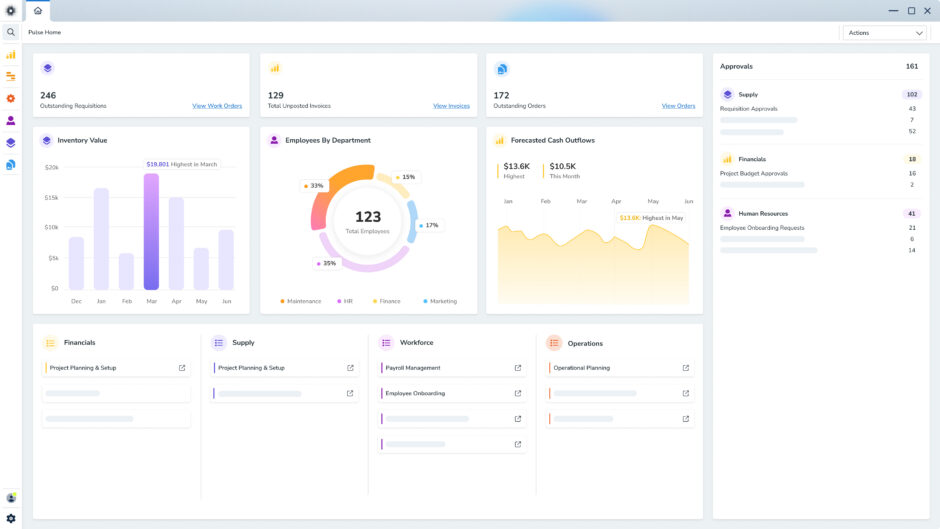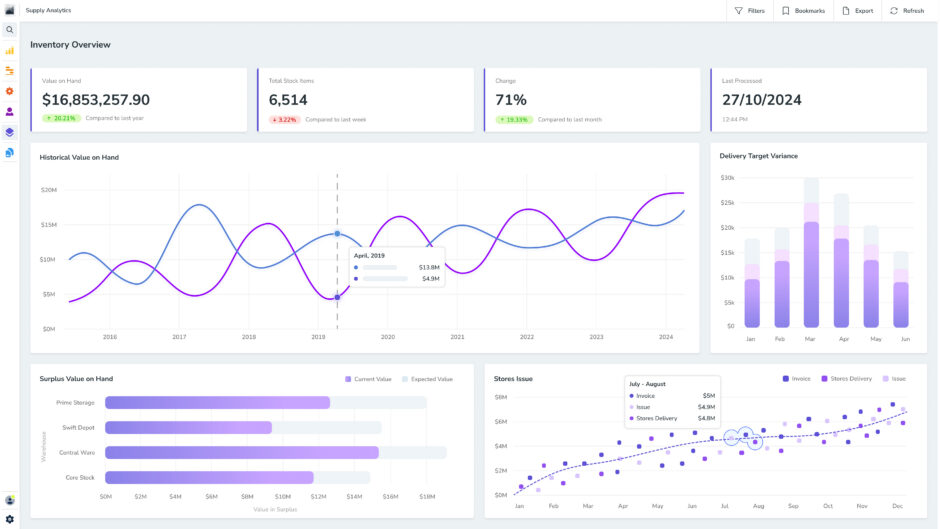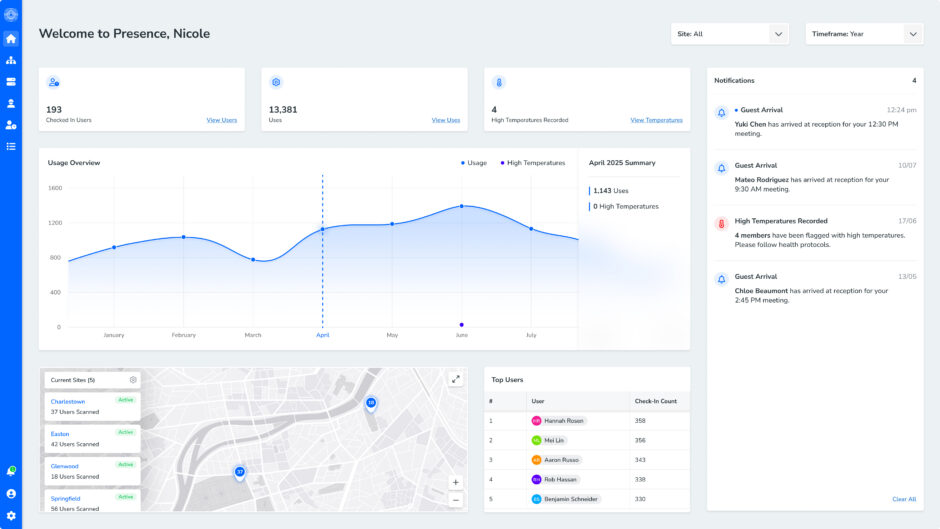
Dealing with mountains of data from multiple sources can be daunting. Thankfully, there are tools to help. By gathering, transforming and presenting data clearly, a Business Intelligence platform can help you gain useful insights fast.
Today, organisations across the globe are harnessing this technology to spot issues, highlight opportunities and strengthen business decisions.
Don’t get left behind. In this guide, we explain what Business Intelligence is, how it works, and why it’s so important.
What is Business Intelligence (BI)?
Business Intelligence (BI) is the use of systems, tools and processes to collect, organise and analyse organisational data so your team can make more informed decisions.
Basically, BI links raw data and strategy. It turns information from across departments into clear, actionable insights that highlight what’s happening, why and which steps to take next.
Instead of relying on disconnected spreadsheets or vague assumptions, decision-makers get a reliable view of business-wide performance. This helps your business flag inefficiencies, stay agile and respond effectively when markets, supply chains or operational priorities shift.
The main categories of Business Intelligence
BI solutions help organisations turn data into meaningful findings that drive decision-making. Its three core categories are descriptive, diagnostic and predictive analysis.
Each category answers a different question. Used together, they help teams understand performance, find the reasons behind changes and prepare for possible future outcomes.
Let’s take a closer look at each type of data analysis in BI.
Descriptive analytics
Descriptive analysis shows what’s happened across your organisation. It uses current and historical data to present a clear picture of performance, making it easier to spot changes, trends and areas that need attention.
Common examples include sales reports, financial statements, inventory dashboards, workforce reports and production summaries.
These outputs can determine whether revenue has increased, costs have risen, stock levels have changed, or teams have met their targets.
Diagnostic analytics
Diagnostic analysis helps explain why a result occurred. It looks beyond the headline number, examining the relationships between different data points to uncover the likely cause of a trend, pattern or unusual event.
Your team can compare sites, time periods, products, departments or operating conditions to find where the change began.
Whether you want to seize an opportunity or resolve a setback, this focused insight helps your business direct its attention to the area most likely to make a difference.
Predictive analytics
Predictive analysis uses historical data and patterns to estimate what might happen next. This helps your organisation prepare for possible outcomes before they affect performance.
You can use predictive analysis to forecast demand, plan workforce needs, identify equipment at risk of failure or estimate future sales. The more accurate and relevant the data, the more useful the prediction becomes.
How Business Intelligence works
BI brings data from across an organisation into one reliable view, analysing it for helpful patterns, and presenting the findings clearly.
Thankfully, BI tools can automate much of the repetitive work involved in this process, including collecting data, updating reports and calculating key metrics.
Here’s how it works:
1. Gather & clean up business data
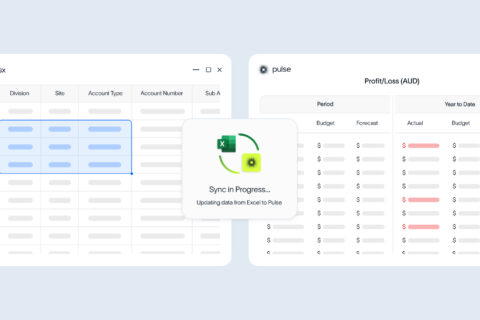
The first step in BI is unifying data. This information can come from multiple data sources, including ERP software, databases, spreadsheets, APIs, asset management systems, work orders, inventory records or other business applications.
Some BI setups import historical and current data through an extract, transform, and load (ETL) process, while others query the source data directly.
During preparation, the system can:
- Remove duplicate records
- Correct inconsistent formats
- Match related information from different systems
- Identify missing or inaccurate values
- Organise unstructured data into a consistent format
- Apply agreed definitions to key metrics
This step is crucial. A BI dashboard can look polished and still give the wrong answer if the company data behind it is incomplete, outdated or inconsistent.
2. Reveal trends & gaps
Once the data is ready, BI tools analyse it to find trends, relationships and outliers. At this stage, you can use queries, calculations and comparisons to understand what’s happening across the business.
Data mining is one method used to examine larger or more complex data sets. Common techniques include:
- Association: Finds events or items that frequently occur together, such as a certain type of equipment failure appearing alongside a particular operating condition.
- Classification: Assigns data to predefined groups, such as assets with high, medium or low maintenance risk.
- Clustering: Finds natural groups within the data without relying on categories set in advance, such as assets with similar performance patterns.
That said, not every BI project needs advanced analytics. A simple comparison between sites, time periods or asset types can often uncover a valuable opportunity for improvement.
3. Present insights with data visualisations
Data visualisation transforms raw data into charts, graphs, maps, reports and dashboards that are easy for anyone to understand. A useful visual does so much more than make data look appealing. It helps the viewer answer a specific question.
Different formats suit different types of information:
- A line graph can show how performance changes over time.
- A bar graph can compare results across sites, teams or asset types.
- A map can show where activity or issues are occurring.
- A heat map can reveal concentrations, patterns or areas of concern.
- A KPI card can show current performance against a target.
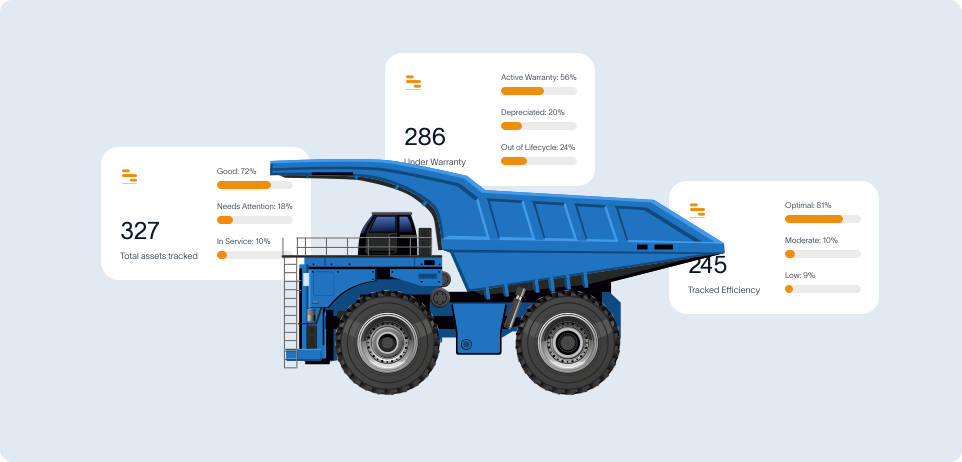
BI dashboards display various visualisations together in one place. For instance, a dashboard focused on reducing equipment downtime might display unplanned downtime by site, lost production hours, common failure causes, maintenance backlog, repeat faults and parts availability.
Sometimes, less is more. Too many visualisations can hide the answer instead of revealing it. That’s why the best BI dashboards are customisable, focusing on the specific, relevant findings your team needs to make its next move.
4. Make agile decisions
BI only adds value when your organisation acts on what it learns. Once the findings are in front of you, you can decide what needs to change, who’s responsible and how success will be measured.
Depending on how the data is connected and refreshed, BI can support regular reporting, daily operational decisions and near real-time monitoring.
Remember that BI doesn’t replace experience. It gives experienced people the reliable information needed to devise a solid strategy as soon as possible.
The benefits of modern Business Intelligence software
BI software consolidates key numbers, trends and performance signals in one place, so teams can see what is happening across the business without chasing separate reports.
In turn, your business can benefit from clearer reporting, stronger data visibility, better operational control, faster decisions and a more practical understanding of customers, costs and performance.
Streamlined reporting
BI software makes reporting easier to read, share and act on. Instead of relying on static spreadsheets or manual reports, teams can use dashboards and visual reports to track the metrics that matter.
A strong BI setup can help answer questions like:
- Where are costs rising?
- Which sites, teams or products are performing best?
- Where is stock sitting?
- What is slowing production?
- Which customers or services are driving revenue?
When reporting is clear, teams spend less time checking numbers and more time fixing the issue in front of them.
A single source of truth
Corporate data often sits across several systems. Finance has one view, operations has another, and spreadsheets fill the gaps in between.
BI software merges those sources. It can connect data from ERP software, finance systems, inventory tools, asset registers, customer records, operational systems and spreadsheets.
That matters because disconnected data slows people down and leads to miscommunication. It can also create competing versions of the same result.
With consolidated data, leaders can see how one part of the business affects another, which is a crucial consideration for every decision.
More efficient business performance
BI software helps teams find issues that are easy to miss in manual reporting, including:
- Production bottlenecks
- Inventory shortages or excess stock
- High-maintenance assets
- Slow internal approvals
- Supplier delays
- Labour or resource gaps
- Cost increases by site, team or department
Flagging the issue is the first step to resolving it. From there, teams can adjust workflows, review suppliers, improve scheduling, reduce double handling or focus on the areas creating the biggest drag to improve operational efficiency.
Richer insights
One of the biggest benefits of BI software is the ability to see patterns that would otherwise stay hidden in day-to-day reporting.
When data is spread across multiple systems, it’s difficult to pinpoint how different parts of the business influence each other.
BI brings that information together, making it easier to uncover trends, identify recurring issues and understand what is driving performance.
With a clearer view of the underlying drivers behind business performance, teams can move beyond reporting what happened and start understanding why it happened.
Many BI platforms also support forecasting and predictive analysis, helping organisations plan for future demand, inventory requirements, maintenance schedules and resource allocation.
Faster decision making
BI software helps reduce the time between identifying an issue and acting on it.
Rather than waiting for reports to be compiled or data to be manually reconciled, decision-makers can access current information through dashboards and visual reports.
This makes it easier to monitor performance, investigate changes and respond to emerging issues as they happen.
Whether it’s a spike in operating costs, declining inventory levels, production delays or shifts in customer demand, teams can identify changes earlier and take action sooner.
More satisfied customers
BI software can help teams understand consumer behaviour, buying patterns, customer service issues and market trends.
Support teams use this customer data to respond faster, identify repeat issues and give more accurate answers.
Meanwhile, sales and marketing departments can see which customer groups are growing, which campaigns are working and where demand is dropping.
The result is a better understanding of what customers need and how to keep them happy.
Business Intelligence best practices
BI adoption works best when it’s built around clear goals, trusted data and the people who need to use it. The right BI setup gives decision-makers access to accurate information from across the business, making it easier to understand performance, spot issues, and act with confidence.
To get the most out of BI, you should focus on four key practices:
Set clear business objectives
Start with the decisions your business needs to make. Clear objectives help your team identify which data matters, where that data should come from and which BI features are needed to present it properly.
A goal like “improve reporting” is too broad. A stronger goal might be to reduce production delays, improve cash flow visibility, track sales performance by region or identify where operational costs are increasing.
When the objective is specific, the BI system can be designed around the right questions, metrics and reporting views. This keeps the project focused on practical outcomes instead of collecting data for the sake of it.
Train people to use BI tools properly
BI is only beneficial when people know how to use it. Training should show users how to read dashboards, apply filters, check definitions, interpret results and understand where the data comes from.
This is especially important for teams that are used to manual reports or spreadsheets. Without proper training, people can misread data, develop their own workarounds or lose confidence in the system.
Effective BI training is practical, role-specific and easy to apply. Finance teams, operations managers, site leaders and executives might all need different views of the same information.
Keep data accurate, relevant & secure
Reliable BI rests on reliable data. Organisations need clear processes for checking data quality, removing duplicates, correcting errors and keeping information up to date.
Data also needs proper governance. This means setting rules around who can access information, how data is stored, how privacy is protected and which definitions the business uses for key metrics.
As your business changes, reporting needs may change too. New markets, supply issues, operational shifts or customer behaviour might demand new data sources, updated dashboards or different reporting formats.
Give decision-makers easy access to the right information
BI should make useful information easier to find, not harder. Decision-makers need access to timely, relevant data without relying on analysts to build every report from scratch.
That said, access should still be controlled. The right people should see the right information at the right level of detail.
When BI is set up well, teams can move faster. They can respond to performance changes, reduce inefficiencies, plan ahead and make decisions based on real evidence.
How to choose Business Intelligence tools
Choose BI tools that equip your team with trusted data and easy-to-use features. The right system should connect seamlessly with your existing business operations, present information in a practical format and help the right people make sound decisions.
It also needs to work for everyday users, not just data scientists or data engineers. Dashboards, reports and alerts should make performance easy to understand without forcing teams to dig through spreadsheets, chase manual updates or rely on fragmented systems.
Here are the features to look for:
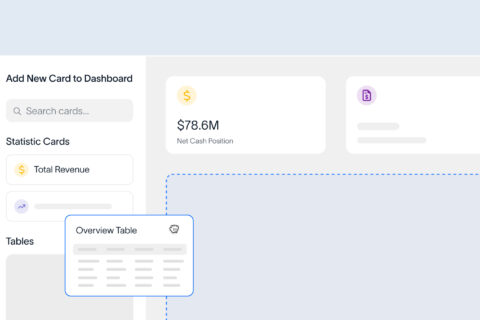
- Simple and dynamic dashboards: Clear and customisable reporting views that help users understand key metrics quickly.
- Data visualisation options: Charts, graphs, tables and maps that make complex information easier to read.
- Reliable data integration: Integration with ERP software, finance systems, inventory tools, operational platforms, spreadsheets and other business applications.
- Custom reporting: Flexible reporting views that can be shaped around different teams, roles and business goals.
- Alerts and notifications: Automatic updates when important metrics move above or below set targets.
- Security and access controls: Permission settings that protect sensitive data and only show users what they need to see.
- Integration options: Connected systems that reduce duplicate data entry and unnecessary manual work.
- Scalable setup: Room to add more users, more data and more advanced reporting with future growth.
- AI-assisted analysis: Forecasting, recommendations and pattern detection that strengthen decision-making.
- Local support and implementation: Practical help from people who understand your industry, systems and reporting needs.
Pulse brings all of these features together in one simple platform, with BI tools designed to give teams a clearer view of performance across operations, finance, assets, inventory and more.
FAQs
A BI system tends to include the following components:
- Data sources: Business systems that hold information, such as ERP software, finance platforms, inventory tools, spreadsheets, asset systems and customer databases.
- Data integration: The process of bringing information from different systems together.
- Data storage: A structured place to store and manage connected data, such as a data warehouse, data lake or central business platform.
- Data preparation: Cleaning, matching and organising data so it can be used accurately.
- Analytics tools: Features that help identify patterns, trends, risks and opportunities.
- Dashboards and reports: Visual outputs that present information in a format people can understand and use.
- Security and governance: Rules that control data access, quality, privacy and consistency.
Together, these elements translate raw business data into clear information that supports better planning, reporting and decision-making.
BI should equip every decision-maker with accurate, useful and timely information. It needs to connect data from key systems, display it clearly and help teams understand what is happening across the business.
Effective BI usually includes:
- A consistent source of truth across departments
- Data that updates often enough to support business decisions
- Clear dashboards and reports built around useful metrics
- Strong data quality and access controls
- A balance of financial and operational reporting
- Information that helps teams act, not just observe
It also reduces guesswork. Instead of teams debating which spreadsheet is right, everyone works from the same data and can focus on what needs to change.
For leaders, this means fewer surprises, faster decisions and a clearer view of performance across the organisation.
A BI dashboard gives users a quick view of key metrics, while a report provides more detailed information about a specific topic, period or business area.
Dashboards are usually visual, interactive and designed for ongoing monitoring. They can show charts, graphs, KPI cards, tables or maps that help users track performance at a glance.
On the other hand, reports can explain results, compare time periods, include commentary or provide supporting information for a specific decision, meeting or compliance requirement.
Both are useful. A dashboard helps you spot changes quickly, while a report helps you understand the context behind those changes.
Yes. Small and medium-sized businesses can benefit from business intelligence just as much as larger organisations.
SMBs often run with tighter margins, leaner teams and less room for costly mistakes. BI helps you make smarter, quicker decisions by drawing data-driven insights from everyday business activities.
BI doesn’t have to be complex or expensive, either. Many SMBs start with a small number of dashboards focused on their most important metrics and expand their reporting capabilities as the business grows.
BI dashboards are visual reporting tools that bring important business information into one central view. A dashboard can include charts, graphs, tables, KPI cards, maps or filters.
These visualisations help teams track performance, compare results and spot issues without opening multiple reports or systems.
At Pulse, our BI dashboards are designed to be:
- Clear: Visuals are simple, practical and easy to understand.
- Timely: Information updates often enough to support the decisions being made.
- Customisable: Teams can view the metrics that matter to their role, site or department.
- Interactive: Users can filter, sort and explore data without requesting a new report every time.
- Shareable: Decision-makers can access the same information and stay aligned.
These features help you understand performance, find the next action and make strategic decisions faster.
In BI, data governance is the set of rules, processes and responsibilities that keep information accurate, secure, consistent and usable.
Strong data governance helps teams trust the information in their dashboards and reports. It defines who owns the data, who can access it, how it should be stored, how it should be updated and which definitions the business uses for key metrics.
For instance, every team should understand what counts as revenue, a completed sale, active inventory, downtime or a qualified lead. Without clear definitions, different departments may report different results for the same metric.
Data governance also protects sensitive information, with access-based controls helping to ensure people only see the data they need for their role.
Make data-driven decisions faster with Pulse Analytics
Modern BI solutions help you visualise and analyse data for stronger business strategies. Make the entire process seamless with Pulse Analytics.
Our strategic reporting software uses customisable Microsoft Power BI dashboards to simplify data analysis across your whole business. Monitor KPIs, spot historical trends, generate cross-module reports and make more informed decisions that keep you ahead of the curve.
To get started, request a free demo.